BlockPoster.ai
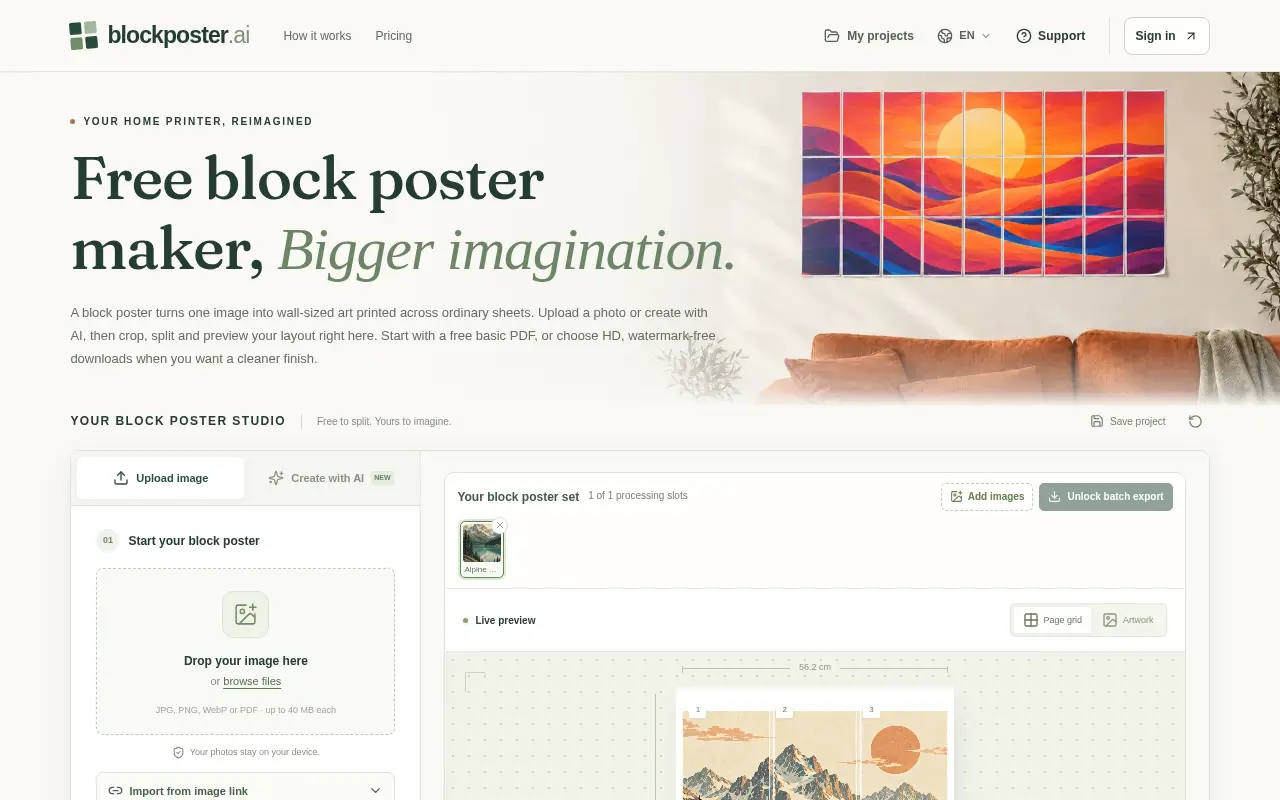
Split a photo or PDF into printable sheets with overlap guides and an assembly page, right in your browser.
Project links
Visit productRequest correctionProject Note
A closer look at BlockPoster.ai
A browser tool that splits a photo into printable sheets for a big DIY poster, with overlap marks and an assembly guide.
A big poster from a small printer
You have a great photo for the classroom wall, a birthday banner or a map you want to see from across the room. A print shop will do it, for a price and a wait. The older trick is to tile the image across normal sheets of paper, trim the edges and tape them together, and that's exactly the job BlockPoster.ai sets up for you.
Drop in a JPG, PNG, WebP or PDF page up to 40 MB, choose the paper, and the tool splits the picture into a grid of sheets. You can crop, change how many pages across it spans, and set the overlap so the seams line up. Each printed page carries dashed overlap lines, corner trim marks and alignment crosshairs, and the first page of the PDF is an assembly guide showing where each sheet goes.
Check every sheet before you print
The live preview is the part that saves paper. You can step through each printed page and check the last sheet, margins, guides and overlap before downloading, instead of finding a problem on page nine. There's no app or extension to install, and the site recommends printing at 100% scale and measuring before you assemble, which is sound advice for anything tiled.
If you don't have a picture yet, a Create with AI mode makes artwork from a prompt. It needs an account and uses credits, and the site is clear that, unlike ordinary uploads, it sends your prompt and any reference image you pick to online generation and safety-check providers.
Before you hit print
The free PDF needs no sign-in but includes a small brand watermark, is capped at 150 DPI and goes up to five sheets across. Paid plans start at $4.99 a month with 20 AI credits, and if you'd rather not subscribe there's a $4.99 one-time pack with one HD, watermark-free unlock and two AI credits. Larger packs and plans go up from there, and purchases aren't refundable except where the law requires.
According to its privacy policy, updated October 13, 2026, ordinary photos and PDF pages are decoded, cropped and exported on your device and aren't uploaded. AI-generated images are stored in hosted storage and aren't deleted automatically when you remove them from your workspace, and the policy asks you not to put sensitive personal information in prompts. The site uses Plausible, Google Analytics 4 and the Google Ads tag for measurement. It's operated by STARTIME TECHNOLOGY CO., LIMITED, with a Hong Kong address on its about and contact pages.
It's a good fit for teachers, party planners and anyone with a printer and a blank wall. If you need a single seamless print with no visible joins, a print shop is still the better route. For a classroom display on a Monday morning, though, this gets you there with scissors and tape.
Project note details
Dates and editorial links
Published
November 18, 2026
Updated
November 18, 2026
Last checked
Nov 18, 2026
Last checked is the most recent date BlockPoster.ai's own public pages were visited for this note. Seen something that has changed since? Tell us and we'll fix it.
Note history
Publication and substantive update dates for this public note.
- Nov 18, 2026
- Project note published.
Want to come back to BlockPoster.ai?
Save it to this browser. Your Saved list marks projects whose note or updates changed since you last looked.
Keep exploring
More like BlockPoster.ai
- Atelier Export — JPEG en plusieurs taillesCreator Tools · A small French-language HTML app for resizing a batch of photos into three JPEG sizes, sold on Gumroad.
- BackgroundPXRAI & Skills · A Windows photo tool described as combining AI background removal with manual mask cleanup and batch export.
- InstaGridMakerCreator Tools · InstaGridMaker splits one photo into numbered tiles for an Instagram profile grid, sized for the 3:4 layout, with the cutting done in your browser.
- ExcerptAI & Skills · A browser extension that multi-selects parts of AI chats and webpages and exports them as clean PDF or Markdown, with a local searchable library.
- Printable Lined PaperEducation Tools · A free paper generator that runs in the browser with no sign-up or watermark.
- PianoGridEducation Tools · Free piano chords, scales, note trainer, practice timer and printable keyboards and blank sheet music, with no account.
- CardifyEducation Tools · Snap a math question you got wrong, see where the work went off, and build a printable practice sheet.
- IDPhotoDockUtilities & Calculators · Free in-browser passport photo cropper with printable sheets, plus an optional US$4.99 white-background portrait service for general use.




For the makerAdd the badge to your site
If you made BlockPoster.ai, you can post about this note with a ready-to-edit announcement, or show it on your own site with an optional badge that links back here. Neither changes the note's text or placement. This note's link to the project is marked as user-submitted until the project's site links back, for example with the badge, and is a full backlink while it does.

Want to keep this note's facts current yourself? Project Radar Pro lets a verified maker confirm status, pricing and platforms in a labeled block, post one update a month and see the note's activity totals. It never changes the note's text or placement. See what Pro includes
Building something useful?
Submit your project for free. If selected, it gets a Project Note that explains what it does and links to your work. Publication isn't guaranteed.
Submit a project