Ctrl Alt Amen
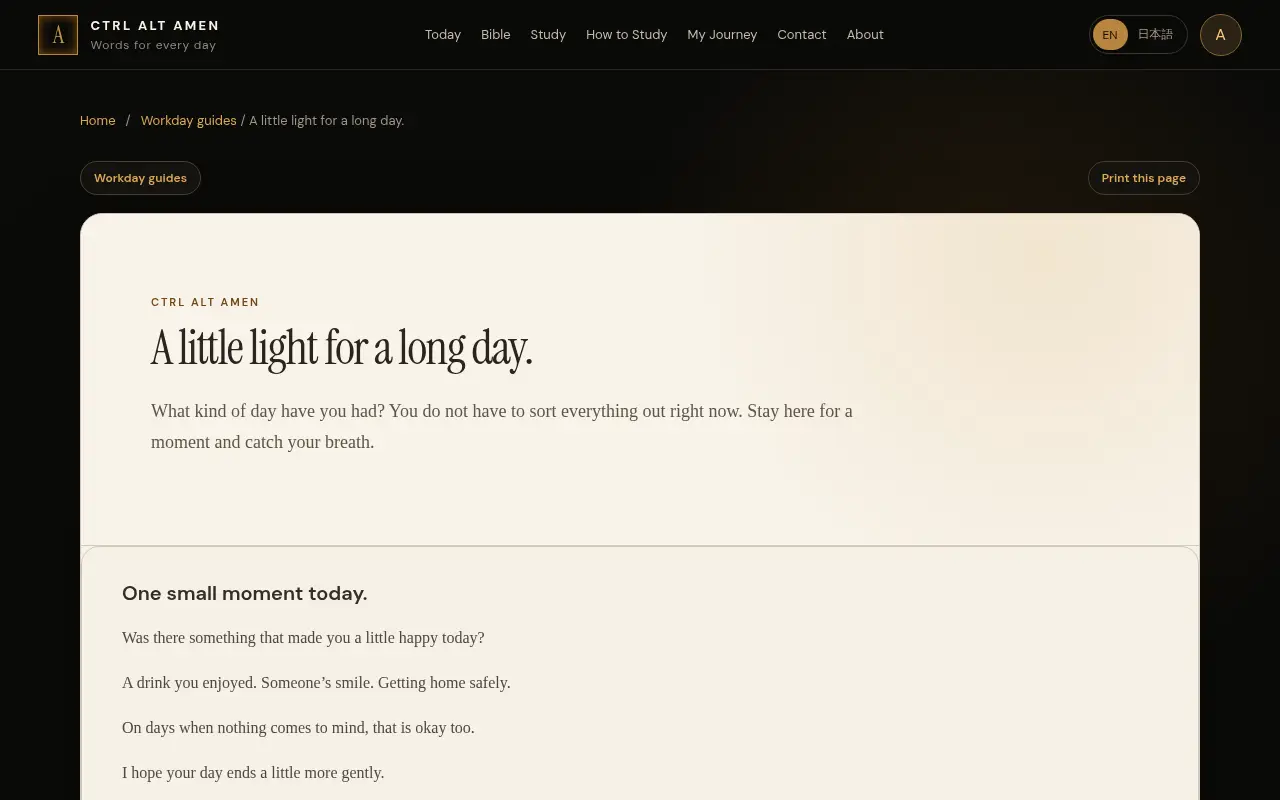
A quiet daily-verse site built around the workday. It offers a Bible reader, a Scripture Assistant that matches a feeling or topic to passages, and notes you can export. The Amen key keyboard is a concept shown on screen.
 CA
Project links
Visit productRequest correctionProject Note
A closer look at Ctrl Alt Amen
Ctrl Alt Amen is a web Bible reader and daily devotional in English and Japanese, with a passage finder, study notes and six Bible editions that can be read offline.
A verse tucked into the workday
The workday fills up quickly, and a quiet minute with Scripture is easy to lose somewhere between the first email and the last. Ctrl Alt Amen is built for that gap. The name is a keyboard joke, and the idea follows from it: put a short piece of Scripture inside an ordinary working day. The Today page follows your device's local date, and the tagline is "Words for the workday."
Behind that sits a full Bible reader with six editions. In English there's the King James Version, the American Standard Version of 1901 and the Berean Standard Bible. Alongside them are the Japanese Freedom Bible, the Japanese Literary Bible and the Russian Synodal Bible, and there's a Read offline option. Text size is adjustable, and tapping a verse lets you highlight or bookmark it. The whole site switches between English and Japanese, and you can add it to a phone's home screen.
Finding a passage, and the Amen key
The Scripture Assistant takes a feeling, a topic or a phrase and returns Bible passages. The FAQ is careful to say it isn't a chatbot. It doesn't write a personal answer, and it returns Bible text only.
If you sign in, your notes, bookmarks, highlights, study plan and reading position are saved and synced, and you can export your history as CSV or Excel. Without an account, drafts and searches last only for the page visit.
Then there's the hardware companion, a keyboard with a dedicated Amen key that opens the day's verse. The about page calls this a concept that joins a keyboard with a digital companion, and what you can try today is an on-screen version of the key. As of November 10, 2026, no keyboard was offered for sale on the site.
Who makes it, and what to know about privacy
The about page is written by Oleg Ugrin, founder of Hikari Apps, who describes a personal love for Scripture, people and Japan. The teaching resources include a page about Dr. Victor Paul Wierwille, which tells you something about the tradition the study material draws on.
The privacy page, effective September 10, 2026, says you can read, search and draft notes without an account, and that accounts and saved study are stored with Supabase. On the passage search it says two things. One line says Scripture searches run on your device. Another says that when you submit a Scripture Assistant search, the text is processed by Cloudflare Workers AI to find passages, and isn't added to analytics or logs. The safer reading is that what you type into the assistant leaves your device. Contact messages have no automatic deletion schedule.
If you'd like a verse waiting for you each working day, in English or Japanese, the Today page is the place to begin.
Project note details
Dates and editorial links
Published
November 10, 2026
Updated
November 12, 2026
Note history
Publication and substantive update dates for this public note.
- Nov 10, 2026
- Project note published.
- Nov 12, 2026
- Project note updated.
Want to come back to Ctrl Alt Amen?
Save it to this browser. Your Saved list marks projects whose note or updates changed since you last looked.
Keep exploring
More like Ctrl Alt Amen
- Mahjong Set FinderWebsites · A comparison site for American mahjong gear.
- Get a Random Bible VerseEducation Tools · A free verse generator that draws one Bible verse at a time, shows it in KJV, WEB or ASV, and lets you read the chapter around it before you share it.
- CreditRadarWebsites · CreditRadar is a German-language information service that lists free AI credits, software trials and startup programmes, with newsletters for different audiences.
- VolleyballTVWebsites · VolleyballTV shows live volleyball scores, set results, fixtures and league standings from competitions around the world, with links to official streams.
- IA du JourWebsites · IA du Jour is a French-language publication that gathers documented and practical AI agent use cases, with sources, cautions and reusable prompts, alongside AI news.
- AnoncracyWebsites · A Reddit-style discussion site built around accountable moderation.
- GladoriWebsites · Gladori is a guide to private Caribbean villas for families and groups.
- KamriyalWebsites · A free Saudi price-comparison site in English and Arabic that lists the lowest price for popular electronics and links to each store's offer.




For the makerAdd the badge to your site
If you made Ctrl Alt Amen, you can post about this note with a ready-to-edit announcement, or show it on your own site with an optional badge that links back here. Neither has any effect on the note or its placement.

Want to keep this note's facts current yourself? Project Radar Pro lets a verified maker confirm status, pricing and platforms in a labeled block, post one update a month and see the note's activity totals. It never changes the note's text or placement. See what Pro includes
Building something useful?
Submit your project for free. If selected, it gets a Project Note that explains what it does and links to your work. Publication isn't guaranteed.
Submit a project