easi.run
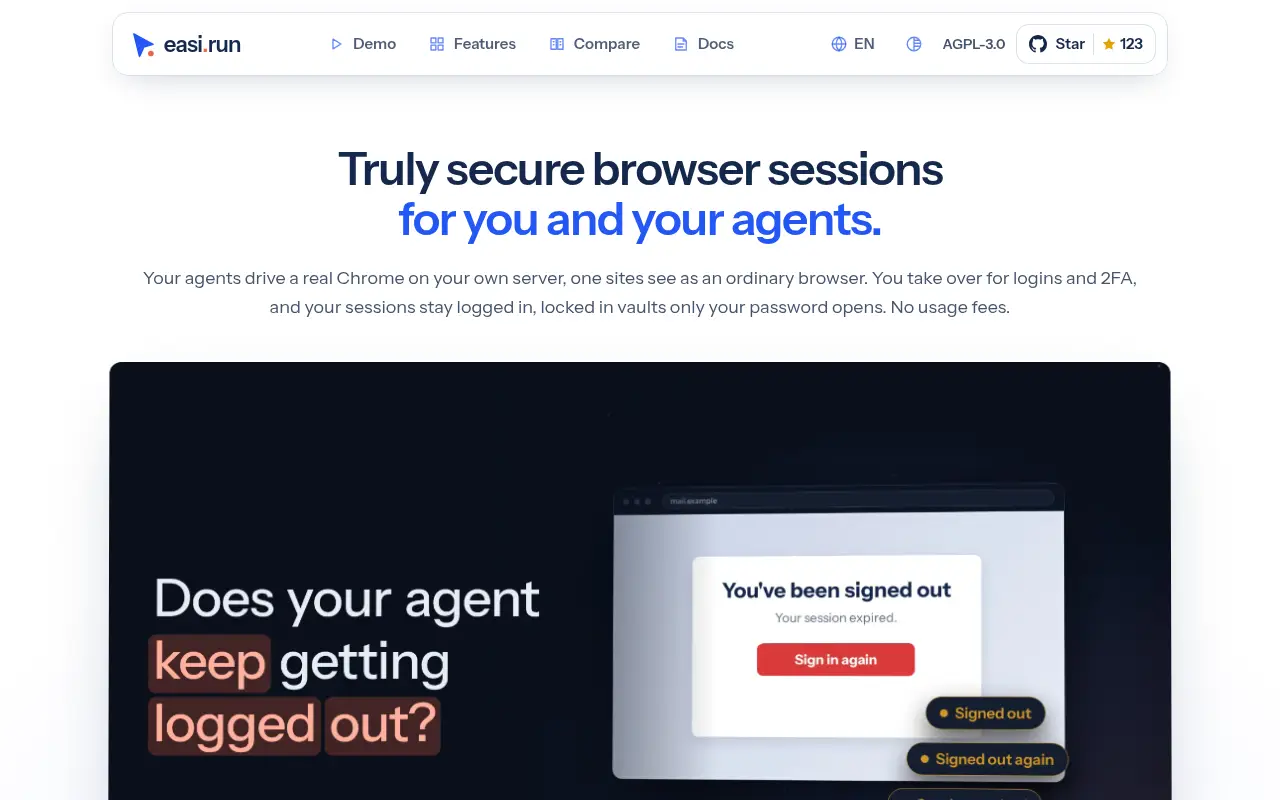
Self-hosted Chrome for coding agents: your agent drives a real browser on your own Linux server, and you step in for logins and CAPTCHAs. Open source, no usage fees.
Project links
Visit productRequest correctionProject Note
A closer look at easi.run
Open-source, self-hosted Chrome sessions for coding agents, with live takeover for logins and encrypted saved sessions. Free under AGPL-3.0.
When your agent hits a login page
Coding agents are getting good at clicking through websites, right up until a site asks for a password, a 2FA code or a CAPTCHA. Then the run stalls, or you end up pasting credentials somewhere you'd rather not. easi.run is built around that moment. It runs real Chrome sessions on your own Linux server, your agent drives them, and when it reaches a login it calls you in. You take over in a live view, finish the step yourself, hand control back, and the agent carries on.
It works with Claude Code, Codex and any agent that speaks MCP or REST. The installer sets up the MCP connection in Claude Code and Codex for you, and you can even paste one line into either agent on your server and let it handle the install.
Logins that stay put
Once you've logged in to a site, the session stays logged in, saved in a vault on your server and encrypted with your password, so it survives updates and restarts. You decide which agents may reuse which saved logins, and each agent token only reaches the sessions it started. Every session keeps a timeline of what the agent did, with typing stored only as a count of characters, and screen recording is on by default and encrypted on your server.
The details show care. Your agent reads a page's accessibility tree and sees its screen before it clicks, and it can batch several actions into one call to save round trips. If you turn on developer tools for a session, the site warns that pages may notice. When an agent needs you, a signed webhook can ping Slack or Discord. The live view runs on the project's own streaming engine written in Rust, with sound, file drag-and-drop, clipboard sync and downloads that land in your own Downloads folder.
What to know before you install
It's free under the AGPL-3.0 license, and the only cost is your own server. The site's comparison page sets it against hosted agent-browser services that bill by the hour. You need a Linux x86-64 server with Docker Engine 28 or later. There's no account, privacy policy or terms page on the site, and the only name behind it is the GitHub account julianosig, but since everything runs on your server, the project itself doesn't hold your data.
One feature deserves a plain caveat. The site says pages see your agent as an ordinary browser, and it offers a proxy per session with a time zone and languages suggested from where that proxy is. That can be handy for testing how a site behaves in another country, but making automated traffic look like a local visitor can break some sites' terms of service. Check the rules of the sites you automate. The project leaves CAPTCHAs to you instead of solving them, which is the right call.
If you run coding agents that need to work inside sites you log in to, and you'd rather keep those sessions on your own machine, it's worth an afternoon to set up. If you don't have a Linux server with Docker, a hosted browser service will be quicker to start with.
Project note details
Dates and editorial links
Published
November 24, 2026
Updated
November 24, 2026
Last checked
Nov 24, 2026
Last checked is the most recent date easi.run's own public pages were visited for this note. Seen something that has changed since? Tell us and we'll fix it.
Note history
Publication and substantive update dates for this public note.
- Nov 24, 2026
- Project note published.
Want to come back to easi.run?
Save it to this browser. Your Saved list marks projects whose note or updates changed since you last looked.
Keep exploring
More like easi.run
- AccessibilityWiki.comDeveloper Tools · Free one-page accessibility scan with the axe engine, no email needed, plus country-by-country guides to accessibility law.
- Macswarm TeamDeveloper Tools · Hosted macOS virtual machines with Xcode and iOS Simulators for Claude Code and Codex agents, billed per Pod-hour.
- DokimaSaaS · Local AI security review for Git repos, using your own Claude, Codex or OpenCode runner.
- OrbitalDeveloper Tools · A Mac app that runs coding-agent workflows step by step on your own machine, using the Claude Code, Codex or OpenCode account you already have.
- agentskills.codesDeveloper Tools · Browse agent skills by client or category, inspect listings, and copy installation commands for supported coding tools.
- FileaifyDeveloper Tools · A shared project space for AI coding agents that keeps documentation and decisions available across conversations, with human-approved permissions.
- SEMAPRAXDeveloper Tools · SEMAPRAX explores coding-agent changes built on stable declaration IDs, typed program context, and revision checks.
- ChatwaySaaS · Chatway is a live chat widget for websites with a free-forever plan, an optional pay-per-resolution AI agent, and a way to plug in your own AI through MCP.





For the makerAdd the badge to your site
If you made easi.run, you can post about this note with a ready-to-edit announcement, or show it on your own site with an optional badge that links back here. Neither changes the note's text or placement. This note's link to the project is marked as user-submitted until the project's site links back, for example with the badge, and is a full backlink while it does.

Want to keep this note's facts current yourself? Project Radar Pro lets a verified maker confirm status, pricing and platforms in a labeled block, post one update a month and see the note's activity totals. It never changes the note's text or placement. See what Pro includes
Building something useful?
Submit your project for free. If selected, it gets a Project Note that explains what it does and links to your work. Publication isn't guaranteed.
Submit a project