
AI Video Expander
Change a video's aspect ratio by generating new scene around the edges instead of cropping, for vertical, square or widescreen versions.
Project links
Visit productRequest correctionProject Note
A closer look at AI Video Expander
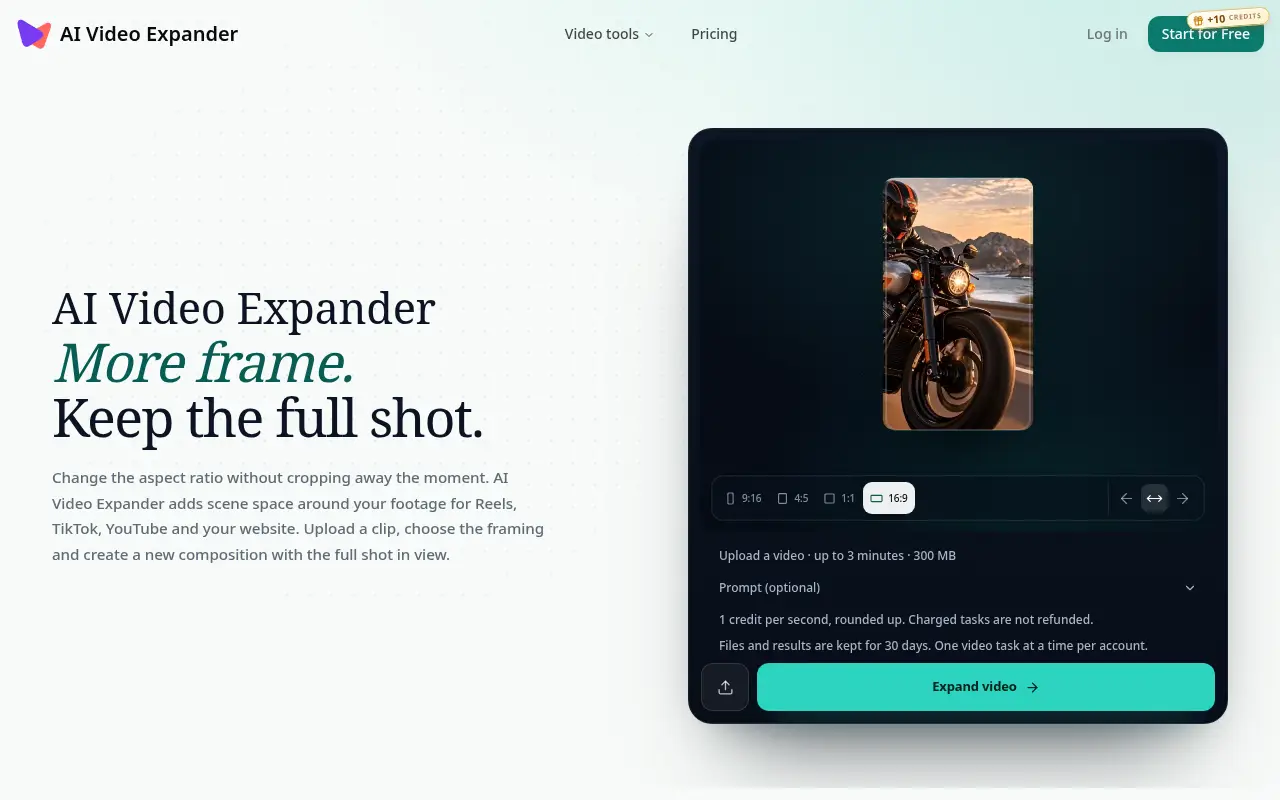
AI Video Expander changes a clip's aspect ratio without cropping. Upload a video of up to three minutes, pick 9:16, 4:5, 1:1 or 16:9, and it generates new scene beyond the original frame, then returns an MP4 with the source audio.
The shot that doesn't fit the frame
You filmed something good on your phone, upright, and now it needs to run as a widescreen YouTube video. Or the opposite. A wide shot of a product demo has to go out as a vertical Reel, and cropping would cut off the hands doing the demonstrating. Black bars look lazy, and cropping throws away the part that mattered.
AI Video Expander takes a third route. Instead of cutting, it generates new scene around the edges of your footage, a technique usually called outpainting. You pick the shape you need and it paints in the missing sky, wall or floor so the original shot sits whole inside the new frame.
How a clip goes through
You sign in, upload an MP4, MOV, WebM or MKV file of up to three minutes and 300 MB, and choose 9:16, 4:5, 1:1 or 16:9. You can place the source to grow on the left, right, top or bottom, or keep the ratio and add room on every side with a slider. An optional prompt describes what the new area should show, and leaving it blank lets the tool extend from the video itself. Processing carries on if you close the page, and the result comes back as an MP4 with the original audio, up to 1080 by 1920 pixels.
The site is honest that results can have artifacts or lost detail, and it tells you to check the new edges before publishing. That's sensible advice for any generated footage, and especially for faces and text near the borders.
Credits, files and who runs it
It costs one credit per second of video, rounded up. New accounts get 10 free credits for 30 days. Basic is $19.90 a month for 660 credits, Pro $39.90 for 1,600 and Max $79.90 for 4,000, with yearly billing at the price of ten months. Credits expire after 30 days, and once a task is charged it isn't refunded, even if processing fails later. Payments go through Waffo Pancake.
According to its privacy policy, dated November 15, 2026, uploads are stored on Cloudflare R2 and prepared clips are sent to GPU services hosted on Runpod. Source files and results are deleted 30 days after the task is created. One detail matters here. File links aren't private, so anyone who gets hold of one can open it without signing in. The policy advises against uploading confidential footage. The service is run by Xiaoming Qian, an individual operator in Kunming, China, and it says it isn't affiliated with the AI video makers whose renders it can widen.
If you post the same clip to several platforms and hate cropping, this is a tidy fix for that one job. If your footage is sensitive, the open file links are a reason to think twice.
Project note details
Dates and editorial links
Published
November 21, 2026
Updated
November 21, 2026
Last checked
Nov 22, 2026
Last checked is the most recent date AI Video Expander's own public pages were visited for this note. Seen something that has changed since? Tell us and we'll fix it.
Note history
Publication and substantive update dates for this public note.
- Nov 21, 2026
- Project note published.
Want to come back to AI Video Expander?
Save it to this browser. Your Saved list marks projects whose note or updates changed since you last looked.
Keep exploring
More like AI Video Expander
- SnapstageAI Image & Video · Snapstage turns one photo of a room into a restyled or virtually staged concept in about 30 seconds.
- Ad MultiplierAI Image & Video · An AI video tool that makes visual variations of an existing ad while offering a keep-original-audio option.
- This Pic Can Change (HugeHard Studio)Apps · Convert, crop and compress photos, or turn a video clip into a GIF or Live Photo, on your iPhone.
- ClipTrendAI Image & Video · An AI video site built around trending TikTok and Reels effects.
- imgupscaler.netAI Image & Video · AI upscaler for 2×, 3× or 4× enlargements, with two free images a day.
- collage.videoCreator Tools · collage.video combines photos and video clips into one frame, with 35 layouts and your own music, and saves a 1080p video without uploading anything.
- colorgrade.videoCreator Tools · colorgrade.video is a free browser colour-grading studio with around 300 looks, log and LUT support, and pro controls, without uploading your clip.
- Aspect Ratio CalculatorUtilities & Calculators · Aspect Ratio Calculator takes a width and height and tells you the ratio, its decimal and common name, then resizes to a new width or height at the same shape.








For the makerAdd the badge to your site
If you made AI Video Expander, you can post about this note with a ready-to-edit announcement, or show it on your own site with an optional badge that links back here. Neither changes the note's text or placement. This note's link to the project is marked as user-submitted until the project's site links back, for example with the badge, and is a full backlink while it does.

Want to keep this note's facts current yourself? Project Radar Pro lets a verified maker confirm status, pricing and platforms in a labeled block, post one update a month and see the note's activity totals. It never changes the note's text or placement. See what Pro includes
Building something useful?
Submit your project for free. If selected, it gets a Project Note that explains what it does and links to your work. Publication isn't guaranteed.
Submit a project