Bank Statement Converter.work
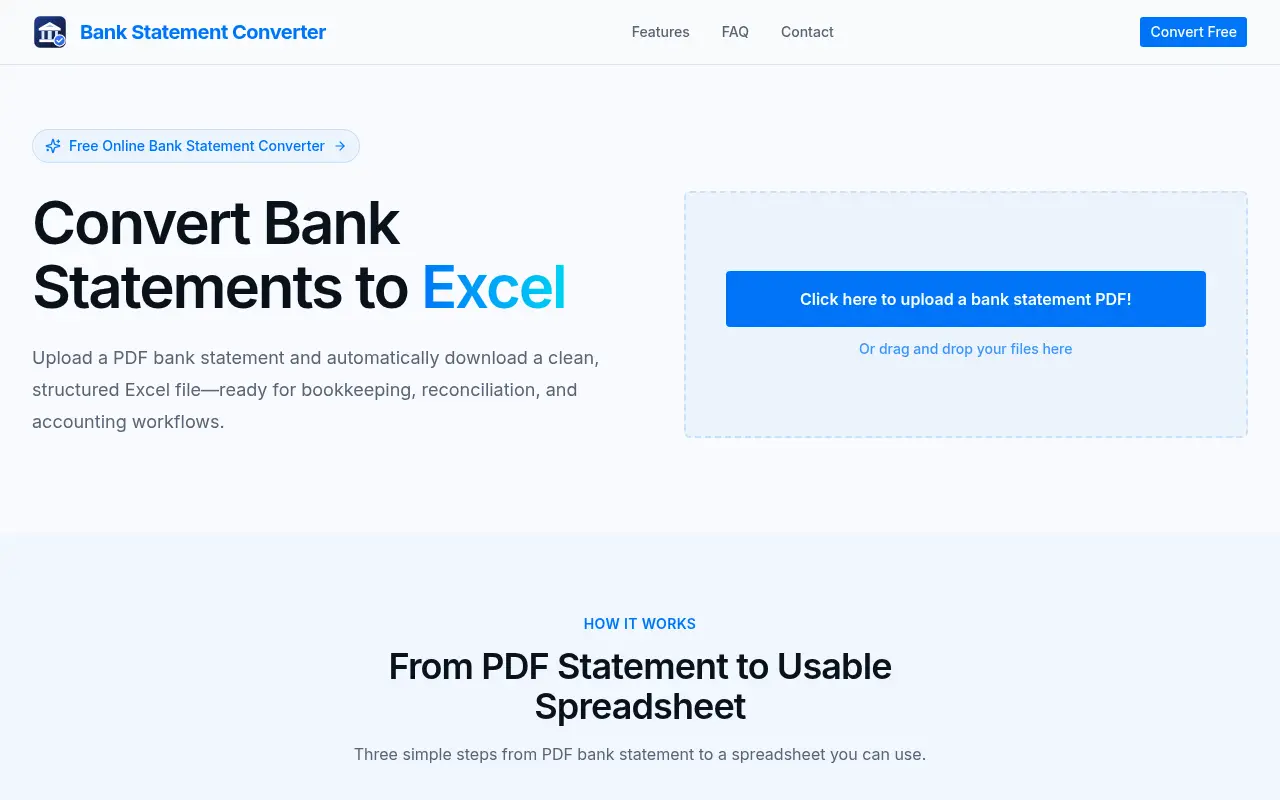
Upload a PDF bank statement, check the transaction rows it pulls out and download an Excel workbook. Runs in the browser, and uploads are deleted after 24 hours.
Project links
Visit productRequest correctionProject Note
A closer look at Bank Statement Converter.work
Turn PDF bank statements into Excel transaction rows in your browser, with a review step before export. Uploads are deleted after 24 hours.
The month-end copy and paste problem
Anyone who has reconciled an account from PDF statements knows the routine. Open the PDF, copy a row, paste it into a spreadsheet, fix the dates the paste broke, and do it again a few hundred times. Bank Statement Converter is built to skip that part. You drop in a PDF statement, check the transaction rows it pulls out, and an Excel workbook downloads when the extraction finishes.
It runs in the browser, so there's nothing to install, and the home page is clear about who it's for: accountants, bookkeepers and finance staff who need statement data in rows they can sort and reconcile.
How it handles your statements
The flow has three steps. Upload the PDF, look over the structured rows before exporting, then take the .xlsx file. That review step is the useful part, because a converter that misreads a column is worse than none if you only find out at month end.
Statement layouts differ from bank to bank, and the site keeps a library of public sample statements from 23 banks, Monzo, Bank of America, ING and Westpac among them. It says each one produced plausible transaction data in its automated compatibility tests. If your bank is on that list, that's a decent sign. If it isn't, one test file will tell you more than any promise.
Before you upload a bank statement
Bank statements are about as private as documents get, so the fine print matters here. According to its privacy policy, updated November 23, 2026, uploaded PDFs and their conversion records are stored on the service's server under a private browser-session identifier and deleted automatically after 24 hours. The policy asks you not to upload a statement you aren't authorized to process, and the contact page asks people not to send statements by email. Service providers that help run it are mentioned but not named. The service is run by SOLRISE LTD, a company registered in England and Wales with its registered office in Kington, Herefordshire.
There's a Convert Free button on the home page, and the FAQ says any limits or paid options should be shown before you convert. The pricing page lists Starter at $9 a month with 5,000 credits, Pro at $29 a month with 50,000 credits and API access, and Enterprise at $99 a month, but it doesn't say what a credit buys. Refunds are handled case by case under the terms.
It's a good fit for a bookkeeper or small-business owner who gets statements as PDFs and wants rows to reconcile without retyping them. If you need to know how many statements or pages a plan covers before you pay, that answer isn't on the pricing page yet, so start with the free option and a single statement.
For reference
Project facts
The published details and source context, together in one place.
- Stage
- Launched
Project note details
Dates and editorial links
Published
November 23, 2026
Updated
November 23, 2026
Last checked
Nov 24, 2026
Last checked is the most recent date Bank Statement Converter.work's own public pages were visited for this note. Seen something that has changed since? Tell us and we'll fix it.
Note history
Publication and substantive update dates for this public note.
- Nov 23, 2026
- Project note published.
Want to come back to Bank Statement Converter.work?
Save it to this browser. Your Saved list marks projects whose note or updates changed since you last looked.
Keep exploring
More like Bank Statement Converter.work
- DokimaSaaS · Local AI security review for Git repos, using your own Claude, Codex or OpenCode runner.
- Righto BooksMoney & Finance · Free Mac bookkeeping for freelancers and small businesses, with statement imports, rules, reconciling and reports in a local encrypted file.
- LineSheetDeskSaaS · Turn a CSV or Excel product list into wholesale line sheets with each stockist's own prices, exported as A4 or US Letter PDFs.
- BankStatementMateMoney & Finance · A browser-based bank statement converter from PDF, PNG or JPG to Excel or CSV, with local processing and one free conversion.
- Stripe for JoomShopping by InteroperiaDeveloper Tools · Adds Stripe checkout to JoomShopping stores, with a status view for paid, pending, stale and unknown payments.
- MelayaSaaS · An AI agent platform where your own model runs browser, Android, Windows desktop and MCP workflows, with approval steps before consequential actions.
- BskyDeleteSaaS · BskyDelete lets Bluesky users filter, review, export and bulk-delete posts, likes and reposts, and clean their following list, through official OAuth.
- LivelyChartCreator Tools · Animated chart maker for Excel and CSV data, with bar chart race templates, AI suggestions and MP4 or GIF export.






For the makerAdd the badge to your site
If you made Bank Statement Converter.work, you can post about this note with a ready-to-edit announcement, or show it on your own site with an optional badge that links back here. Neither changes the note's text or placement. This note's link to the project is marked as user-submitted until the project's site links back, for example with the badge, and is a full backlink while it does.

Want to keep this note's facts current yourself? Project Radar Pro lets a verified maker confirm status, pricing and platforms in a labeled block, post one update a month and see the note's activity totals. It never changes the note's text or placement. See what Pro includes
Building something useful?
Submit your project for free. If selected, it gets a Project Note that explains what it does and links to your work. Publication isn't guaranteed.
Submit a project