
Content Aware Scale
A free browser tool that changes a photo's aspect ratio by seam carving, the technique behind Photoshop's Content-Aware Scale, plus a squish-and-melt meme maker. Images stay on your device.
Project links
Visit productRequest correctionProject Note
A closer look at Content Aware Scale
Reshape a photo for YouTube, Instagram or a banner without stretching the subject, or make a squish meme video. Free, in your browser.
One photo, many shapes
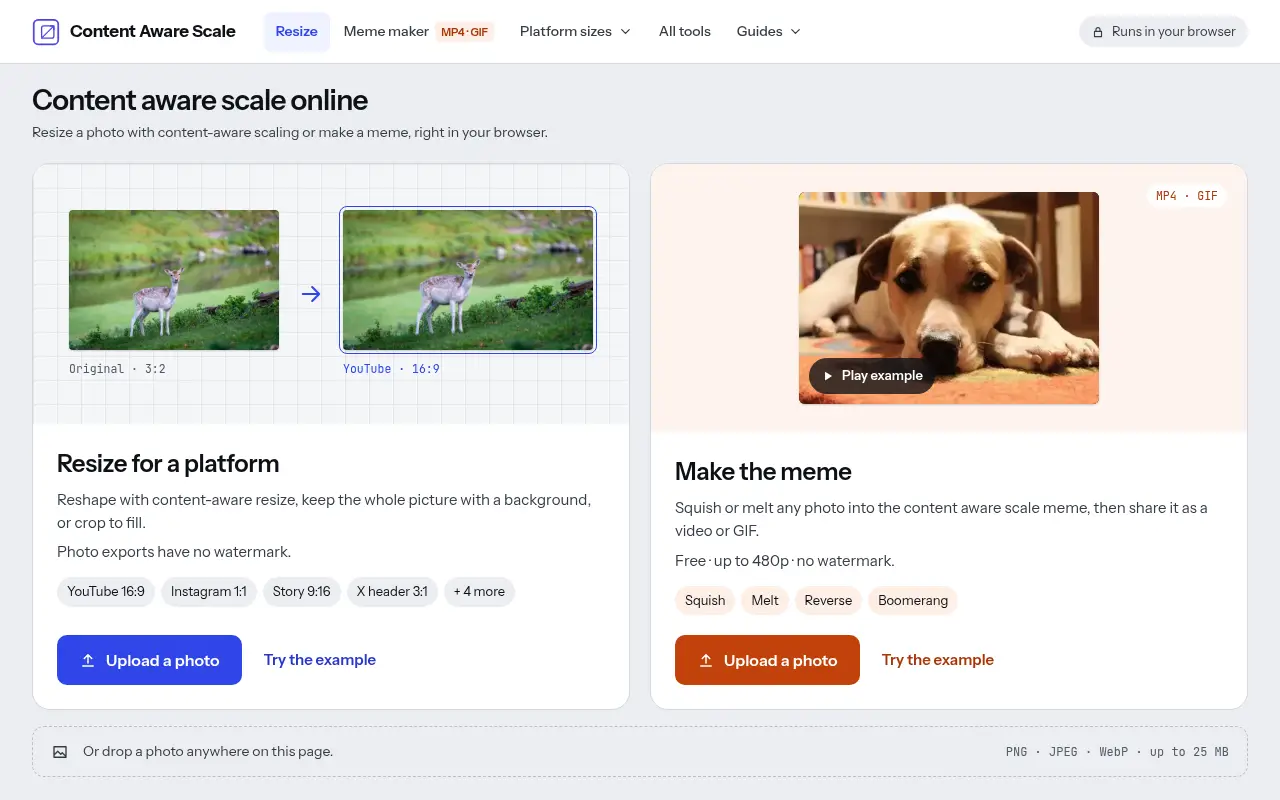
You have a good 3:2 photo and you need it as a 16:9 YouTube thumbnail, a square Instagram post and a long, thin X header. Stretching it squashes everyone's faces, and cropping cuts things off. Content Aware Scale takes a third route. It uses seam carving, the same idea Photoshop calls Content-Aware Scale, and removes or adds thin paths of low-detail pixels so quiet areas like sky, walls or blurred backgrounds absorb the change.
You upload a PNG, JPEG or WebP image of up to 25 MB, pick a platform preset, and choose whether to reshape it, fit the whole picture on a background or crop to fill. The presets run from a YouTube thumbnail and an Instagram story to a LinkedIn banner and podcast cover art, and photo exports carry no watermark.
Knowing when it works
The nicest thing about the site is how plainly it explains the method. Its guide pages walk through energy maps and seams, and an examples page shows what works and what doesn't. The advice is to start with a photo that has room around the subject and make a modest change, because large changes can bend the subject or trigger automatic cropping. A small face detector runs in the browser to protect faces, though the site says protection doesn't guarantee unchanged details, so check faces, lettering and straight lines before you download. Nothing new is painted in, which is why the result only contains pixels from your photo.
There's a lighter side too. The meme maker turns a photo into the squished or melting content-aware scale meme, with reverse and boomerang options, and exports it as an MP4 or GIF at up to 480p, free and without a watermark.
Before you upload anything
According to its privacy policy, last updated 26 October 2026, every image tool processes files in your browser and nothing is uploaded to a processing server. When you pass a photo to another tool on the site, it's held in your browser's local storage briefly and then deleted. The site measures visits with Google Analytics 4 and with Umami on its own server, and a control on the privacy page turns both off in your browser. The policy says display ads aren't active on this version of the site, while the terms note that the site loads Google AdSense code.
The project is maintained by a developer named flreey, reachable through a feedback form, and the terms say it isn't affiliated with Adobe or the platforms in its presets. It's free.
If you're resizing the same photo for three platforms this week, it's worth a try before reaching for a paid editor. Photos where the subject fills the frame, or jobs that need a big change in shape, are where it struggles, so a regular editor is the safer pick for those.
For reference
Project facts
The published details and source context, together in one place.
- Stage
- Launched
- Pricing
- Free
Project note details
Dates and editorial links
Published
November 14, 2026
Updated
November 14, 2026
Last checked
Nov 15, 2026
Last checked is the most recent date Content Aware Scale's own public pages were visited for this note. Seen something that has changed since? Tell us and we'll fix it.
Note history
Publication and substantive update dates for this public note.
- Nov 14, 2026
- Project note published.
- Nov 14, 2026
- Project note updated.
Want to come back to Content Aware Scale?
Save it to this browser. Your Saved list marks projects whose note or updates changed since you last looked.
Keep exploring
More like Content Aware Scale
- WaveMira SRT Translation CheckerCreator Tools · A free browser tool that compares a source and translated SRT, flags fast or missing captions and exports the fix with the original timing.
- ResLeapAI Image & Video · Online AI upscaler for photos, product shots and anime art, up to 10,240 px, with portrait restoration.
- imgupscaler.netAI Image & Video · AI upscaler for 2×, 3× or 4× enlargements, with two free images a day.
- Image Compressor by CleverHumanizerUtilities & Calculators · Image Compressor is a free browser tool from CleverHumanizer that shrinks JPG, PNG and WebP images by quality level or to an exact KB target, with an optional maximum width.
- Emote ResizerCreator Tools · A free in-browser tool that turns one image into every emote, badge and sticker size Twitch, Discord, Slack and 7TV ask for.
- XlistApps · Xlist is an app for iPhone, Android and the web that gathers saved videos from YouTube, TikTok, Instagram and other sources into one place.
- vitcox.comAI Image & Video · Free 4K wallpapers across 18 subjects, plus in-browser tools to crop, span, resize and compress images for your screens without uploading them.
- VertovCreator Tools · Browser screen recorder with transcript editing, timestamped comments on share links, AI summaries and an MCP server for agents.







For the makerAdd the badge to your site
If you made Content Aware Scale, you can post about this note with a ready-to-edit announcement, or show it on your own site with an optional badge that links back here. Neither changes the note's text or placement. This note's link to the project is marked as user-submitted until the project's site links back, for example with the badge, and is a full backlink while it does.

Want to keep this note's facts current yourself? Project Radar Pro lets a verified maker confirm status, pricing and platforms in a labeled block, post one update a month and see the note's activity totals. It never changes the note's text or placement. See what Pro includes
Building something useful?
Submit your project for free. If selected, it gets a Project Note that explains what it does and links to your work. Publication isn't guaranteed.
Submit a project