PDF Fan
Free online PDF tools in English and Spanish that work mostly in your browser, from extracting and reordering pages to merging, compressing and OCR. No account needed.
Project links
Visit productRequest correctionProject Note
A closer look at PDF Fan
Extract, split, merge, compress and OCR PDFs for free, mostly in your browser. English and Spanish, no account.
Just the pages you need
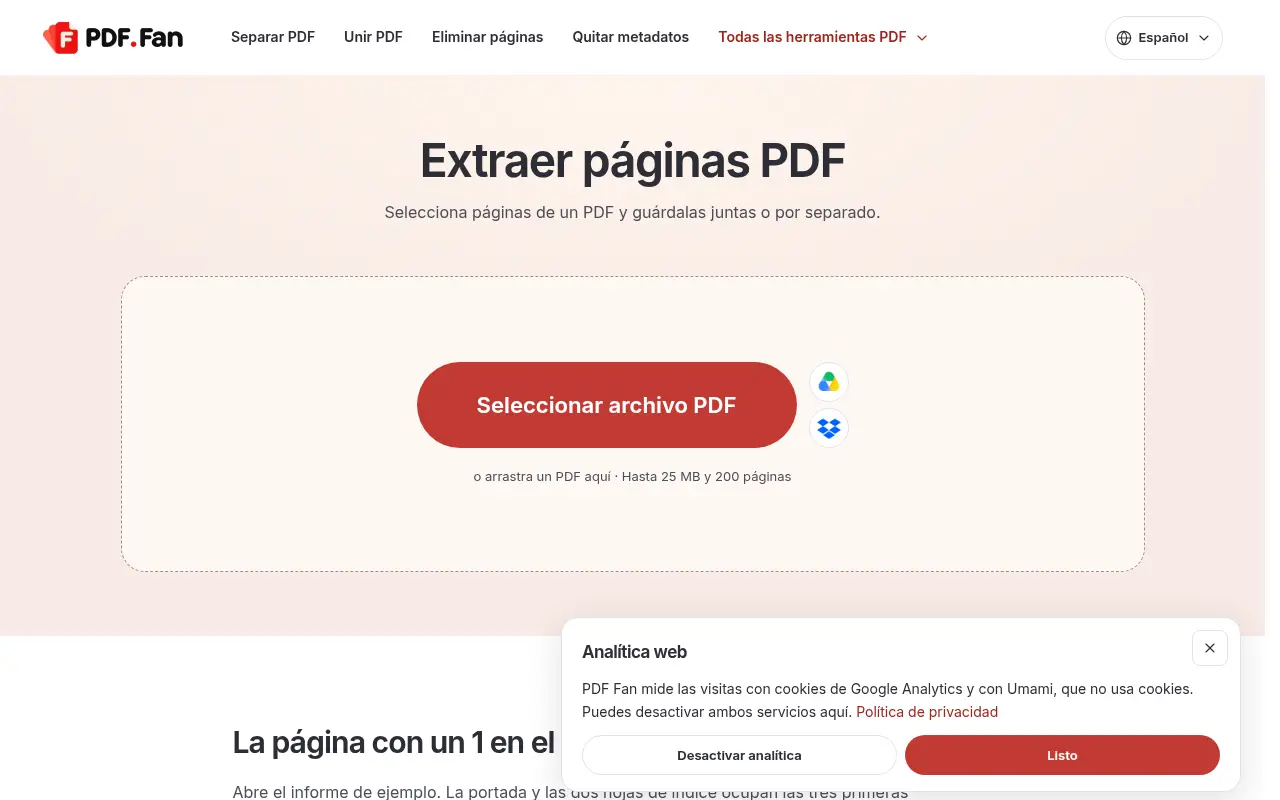
Someone sends you a 60-page report and you need pages 12 to 15 for a meeting. PDF Fan's page extractor, offered in Spanish and English, handles exactly that. You pick a PDF of up to 25 MB and 200 pages, choose the pages and save them together as one file or separately. A small detail shows the care in it: the page shows a sample where the page numbered 1 in the footer is actually the fourth page of the file, so you don't extract the wrong ones.
PDF Fan is a free toolbox in English and Spanish built around the jobs people do most often with PDFs, and it keeps most of them in your browser rather than on a server.
The rest of the toolbox
Beyond extracting pages, there are tools to split a PDF by range or size, merge several files, delete, reorder or insert pages, crop and compress. Conversion tools turn Word documents and images into PDFs and PDF pages into images, an OCR tool recognises text in scanned files, and there's a metadata editor and remover. One less common tool turns a schedule in a PDF into calendar events. The unlock tool removes password protection only from files you're authorised to unlock, and you can import from or save to Google Drive and Dropbox.
Privacy and limits
According to the privacy policy, PDF and image tools process your files in the browser, and your browser saves the editing session so you can pick up after a refresh until it expires two hours after the last save. Word to PDF is the exception. It sends the document to the site's own conversion server only when you click Convert. Shared result links last up to two hours. The site uses Google Analytics, which you can opt out of, and Umami.
The tools are free and need no account or payment, and files are limited to 25 MB and 200 pages. The about page says PDF Fan is made and run by a developer who goes by zenoven, with support by email.
If you regularly need to pull a few pages out of a PDF, or prefer tools that don't upload your files, it's a tidy free option in either language. If you work with very large PDFs or need advanced editing like rewriting text, you'll outgrow it.
Project note details
Dates and editorial links
Published
November 23, 2026
Updated
November 23, 2026
Last checked
Nov 24, 2026
Last checked is the most recent date PDF Fan's own public pages were visited for this note. Seen something that has changed since? Tell us and we'll fix it.
Note history
Publication and substantive update dates for this public note.
- Nov 23, 2026
- Project note published.
Want to come back to PDF Fan?
Save it to this browser. Your Saved list marks projects whose note or updates changed since you last looked.
Keep exploring
More like PDF Fan
- NameOkUtilities & Calculators · See where a business, app or username is already taken across domains, social profiles and app stores.
- PiSpace ToolsUtilities & Calculators · 74 free browser tools for images, PDFs, video, audio and text that process files on your device, with no uploads, account or ads.
- UseFreeToolsUtilities & Calculators · UseFreeTools collects 758 free browser tools for PDFs, images, text, spreadsheets, units, finance and dates.
- NoFileUploadUtilities & Calculators · Free in-browser tools for file metadata, image conversion and PDFs, with no uploads.
- LizelyUtilities & Calculators · Lizely is a free collection of browser tools for PDFs, images, text and code.
- ConfileoUtilities & Calculators · Free online toolbox of 101 PDF, OCR, image and document tools with strong Arabic and right-to-left support.
- EatWiseUtilities & Calculators · Free fast food nutrition calculators for 10 US chains, totaling calories, macros, sodium and caffeine for a customized order.
- IDPhotoDockUtilities & Calculators · Free in-browser passport photo cropper with printable sheets, plus an optional US$4.99 white-background portrait service for general use.






For the makerAdd the badge to your site
If you made PDF Fan, you can post about this note with a ready-to-edit announcement, or show it on your own site with an optional badge that links back here. Neither changes the note's text or placement. This note's link to the project is marked as user-submitted until the project's site links back, for example with the badge, and is a full backlink while it does.

Want to keep this note's facts current yourself? Project Radar Pro lets a verified maker confirm status, pricing and platforms in a labeled block, post one update a month and see the note's activity totals. It never changes the note's text or placement. See what Pro includes
Building something useful?
Submit your project for free. If selected, it gets a Project Note that explains what it does and links to your work. Publication isn't guaranteed.
Submit a project