
PiSpace Tools
Free image, PDF, video and audio tools that do the work on your own device, so your files are never uploaded.
Project links
Visit productRequest correctionProject Note
A closer look at PiSpace Tools
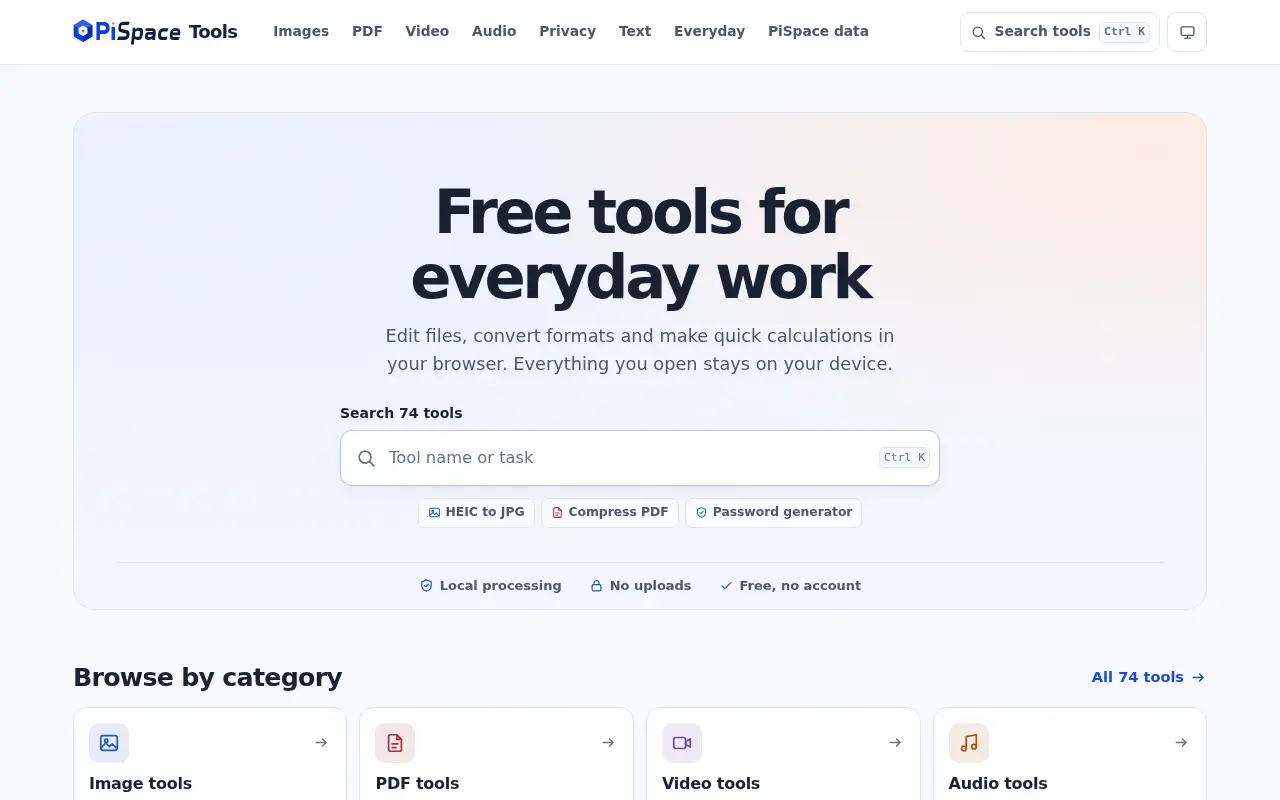
74 free browser tools for images, PDFs, video, audio and text that process files on your device, with no uploads, account or ads.
The file you'd rather not upload
It's usually something small. A PDF that's too big for an email form, an iPhone photo a website won't accept, a video WhatsApp refuses to send. The usual fix is an online converter, which means handing a scan of your lease or a family photo to a server you know nothing about. PiSpace Tools takes the other route. Its 74 tools do the work inside your browser, so the file never leaves your computer or phone.
The about page explains why that's possible now. Modern browsers can decode video, compress images, edit PDFs and encrypt data on their own, and the site builds on well-known open-source pieces to do it: the Squoosh codecs for images, pdf-lib and PDF.js for documents, WebCodecs for video and audio, and Tesseract for text recognition. Big engines download only when you open the tool that needs them, then stay cached so the tool keeps working offline.
What's in the box
The tools are grouped by job. On the image side there's a converter between JPG, PNG, WebP and AVIF that also takes iPhone HEIC photos. The PDF set covers merging, compressing, signing and organising pages. The video compressor is built for one specific annoyance, getting a clip under an email or WhatsApp limit by lowering resolution and bitrate, and it shows a size estimate before you start.
The privacy group is a nice touch. One tool strips GPS location, camera details and dates from photos before you share them, and a password generator uses your browser's built-in cryptography. Elsewhere you'll find a JSON formatter that points to the exact line and column of an error, a QR code maker for links, Wi-Fi networks and contact cards, and calculators such as an inflation calculator for EU countries and worldwide, built on data from the publisher's other PiSpace sites.
Before you drop in a file
According to its privacy policy, no file, text, password or result is sent to PiSpace or anyone else, and the site tells you how to check that yourself: open your browser's developer tools, watch the Network tab and run a tool. The server keeps ordinary access logs, deleted within 14 days, and Cloudflare delivers the site and supplies aggregate traffic numbers. There are no accounts, no application cookies and no third-party ads. The publisher, Dewan Razib, is named as responsible for any personal data, and PiSpace describes itself as a family of free, non-commercial sites.
There are two practical limits. Because your device does the work, very large files, such as videos over 2 GB, depend on its memory and speed. And results come as they are, so keep your originals until you've checked the output. The calculators also ask you to verify anything you need for an official, financial or legal decision.
If you shrink PDFs, convert photos or trim clips a few times a month and don't like uploading personal files to do it, PiSpace Tools is worth a bookmark. If your work means multi-gigabyte video on an older laptop, try it on a smaller file first, since your own machine sets the ceiling.
Project note details
Dates and editorial links
Published
November 18, 2026
Updated
November 18, 2026
Last checked
Nov 18, 2026
Last checked is the most recent date PiSpace Tools's own public pages were visited for this note. Seen something that has changed since? Tell us and we'll fix it.
Note history
Publication and substantive update dates for this public note.
- Nov 18, 2026
- Project note published.
Want to come back to PiSpace Tools?
Save it to this browser. Your Saved list marks projects whose note or updates changed since you last looked.
Keep exploring
More like PiSpace Tools
- PermitPriceUtilities & Calculators · Permit fee calculator that turns official fee schedules into line-by-line estimates.
- RankHush ToolsUtilities & Calculators · Fourteen free browser tools for images, QR codes, passwords, colors and developer data, with no sign-up and processing on your device.
- EveryTool4UUtilities & Calculators · Browser-based PDF, image, text, media and office utilities, with free access and per-tool processing notes.
- PDF FanUtilities & Calculators · Extract, split, merge, compress and OCR PDFs for free, mostly in your browser.
- Free Image ConverterUtilities & Calculators · A free in-browser image converter, compressor and resizer for JPG, PNG, WebP, HEIC, AVIF and PDF.
- zippicUtilities & Calculators · Free image compressor plus 19 more file tools for images, video and PDFs.
- LizelyUtilities & Calculators · Lizely is a free collection of browser tools for PDFs, images, text and code.
- NoFileUploadUtilities & Calculators · Free in-browser tools for file metadata, image conversion and PDFs, with no uploads.





For the makerAdd the badge to your site
If you made PiSpace Tools, you can post about this note with a ready-to-edit announcement, or show it on your own site with an optional badge that links back here. Neither changes the note's text or placement. This note's link to the project is marked as user-submitted until the project's site links back, for example with the badge, and is a full backlink while it does.

Want to keep this note's facts current yourself? Project Radar Pro lets a verified maker confirm status, pricing and platforms in a labeled block, post one update a month and see the note's activity totals. It never changes the note's text or placement. See what Pro includes
Building something useful?
Submit your project for free. If selected, it gets a Project Note that explains what it does and links to your work. Publication isn't guaranteed.
Submit a project