Free Image Converter
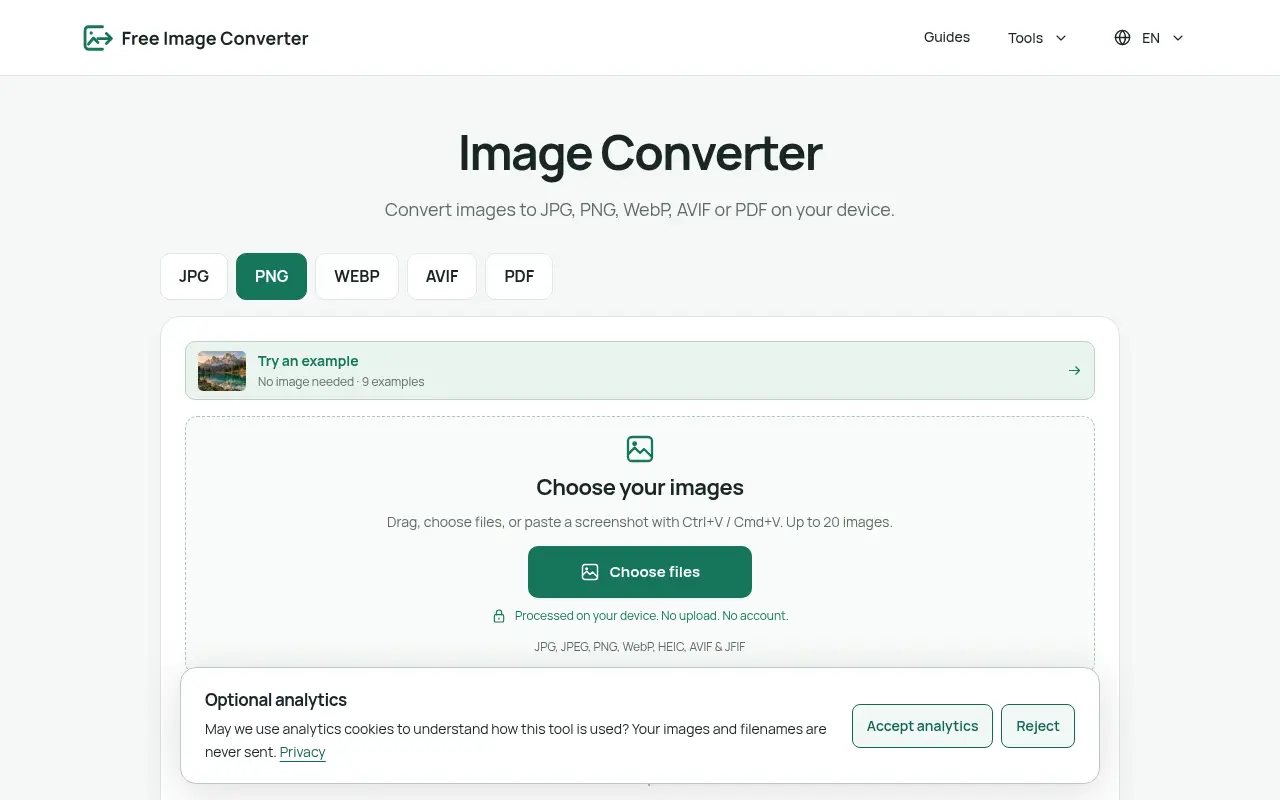
A free browser image converter that turns HEIC, WebP, AVIF and other formats into JPG, PNG, WebP, AVIF or PDF without uploading anything.
Project links
Visit productRequest correctionProject Note
A closer look at Free Image Converter
A free in-browser image converter, compressor and resizer for JPG, PNG, WebP, HEIC, AVIF and PDF. No upload, no account.
The photo that won't open
Someone sends you an iPhone photo and it arrives as a HEIC file your laptop shrugs at. Or a form wants a JPG under 200 KB and all you have is a giant PNG. Most fixes for this involve uploading the picture to a site you know nothing about. Free Image Converter takes the other route and does the work inside your browser tab.
You drag in up to 20 images, or paste a screenshot, and choose JPG, PNG, WebP, AVIF or PDF as the output. It reads JPG, PNG, WebP, HEIC, AVIF and JFIF. Each file can be up to 21 MB and 25 megapixels, which covers most everyday phone photos.
More than a format switch
The extra tools are what make it worth a bookmark. There are compressors that aim for a set size such as 50 KB, 200 KB or 1 MB, which is handy for upload forms with strict limits. You can resize, crop, turn an SVG into a PNG, make an ICO icon, or bundle images into a PDF. When you re-encode a photo, EXIF and GPS data are left behind, so a converted holiday snap doesn't carry its location with it. There's also a remove-metadata tool for doing that on purpose.
A batch workflow feature lets you chain steps and save up to 20 rules in your browser, free during a trial. The site says it's exploring paid, account-based workflows later, with no price announced and nothing charged yet.
What to know before you drop a file in
According to the privacy page, updated October 9, 2026, selected images are read and converted by your browser and aren't uploaded to an image-processing server. Files and results live in the tab's memory until you close or reload it. Google Analytics only loads if you accept optional analytics, and the site says images and filenames aren't sent to it. The one thing you might hand over is an email address, if you join the workflow waitlist, and that's kept for up to 90 days.
The site doesn't name a person or company behind it. Support runs through an email address and a public feedback tracker, and its credits page says it's built on an MIT-licensed open-source image converter by Masato Suemura.
If you regularly wrestle with HEIC photos or upload size limits and don't want your pictures leaving your machine, this is a tidy tool to keep around. If you need to convert animated images, look elsewhere, since it handles static images only.
Project note details
Dates and editorial links
Published
November 19, 2026
Updated
November 19, 2026
Last checked
Nov 19, 2026
Last checked is the most recent date Free Image Converter's own public pages were visited for this note. Seen something that has changed since? Tell us and we'll fix it.
Note history
Publication and substantive update dates for this public note.
- Nov 19, 2026
- Project note published.
Want to come back to Free Image Converter?
Save it to this browser. Your Saved list marks projects whose note or updates changed since you last looked.
Keep exploring
More like Free Image Converter
- IBANtoolUtilities & Calculators · A free IBAN validator and SWIFT/BIC lookup that checks format and MOD 97 check digits in your browser, with no sign-up.
- RankHush ToolsUtilities & Calculators · Fourteen free browser tools for images, QR codes, passwords, colors and developer data, with no sign-up and processing on your device.
- HEIC.bestUtilities & Calculators · Convert, view and extract Live Photo video from iPhone HEIC files in your browser.
- HEIC to JPGUtilities & Calculators · HEIC to JPG at heictojpg.im converts iPhone HEIC and HEIF photos to JPG in the browser.
- PiSpace ToolsUtilities & Calculators · 74 free browser tools for images, PDFs, video, audio and text that process files on your device, with no uploads, account or ads.
- Image Compressor by CleverHumanizerUtilities & Calculators · Image Compressor is a free browser tool from CleverHumanizer that shrinks JPG, PNG and WebP images by quality level or to an exact KB target, with an optional maximum width.
- zippicUtilities & Calculators · Free image compressor plus 19 more file tools for images, video and PDFs.
- GeoTag ToolUtilities & Calculators · A free browser tool for adding GPS coordinates, keywords and a description to the metadata of JPG, PNG, WebP and HEIC photos.




For the makerAdd the badge to your site
If you made Free Image Converter, you can post about this note with a ready-to-edit announcement, or show it on your own site with an optional badge that links back here. Neither changes the note's text or placement. This note's link to the project is marked as user-submitted until the project's site links back, for example with the badge, and is a full backlink while it does.

Want to keep this note's facts current yourself? Project Radar Pro lets a verified maker confirm status, pricing and platforms in a labeled block, post one update a month and see the note's activity totals. It never changes the note's text or placement. See what Pro includes
Building something useful?
Submit your project for free. If selected, it gets a Project Note that explains what it does and links to your work. Publication isn't guaranteed.
Submit a project