
ChatSequel
A free Chrome extension that keeps long ChatGPT replies going by sending your chosen "Continue" message after a delay, in tabs you switch on. No account, and it works locally.
Project links
Visit productRequest correctionProject Note
A closer look at ChatSequel
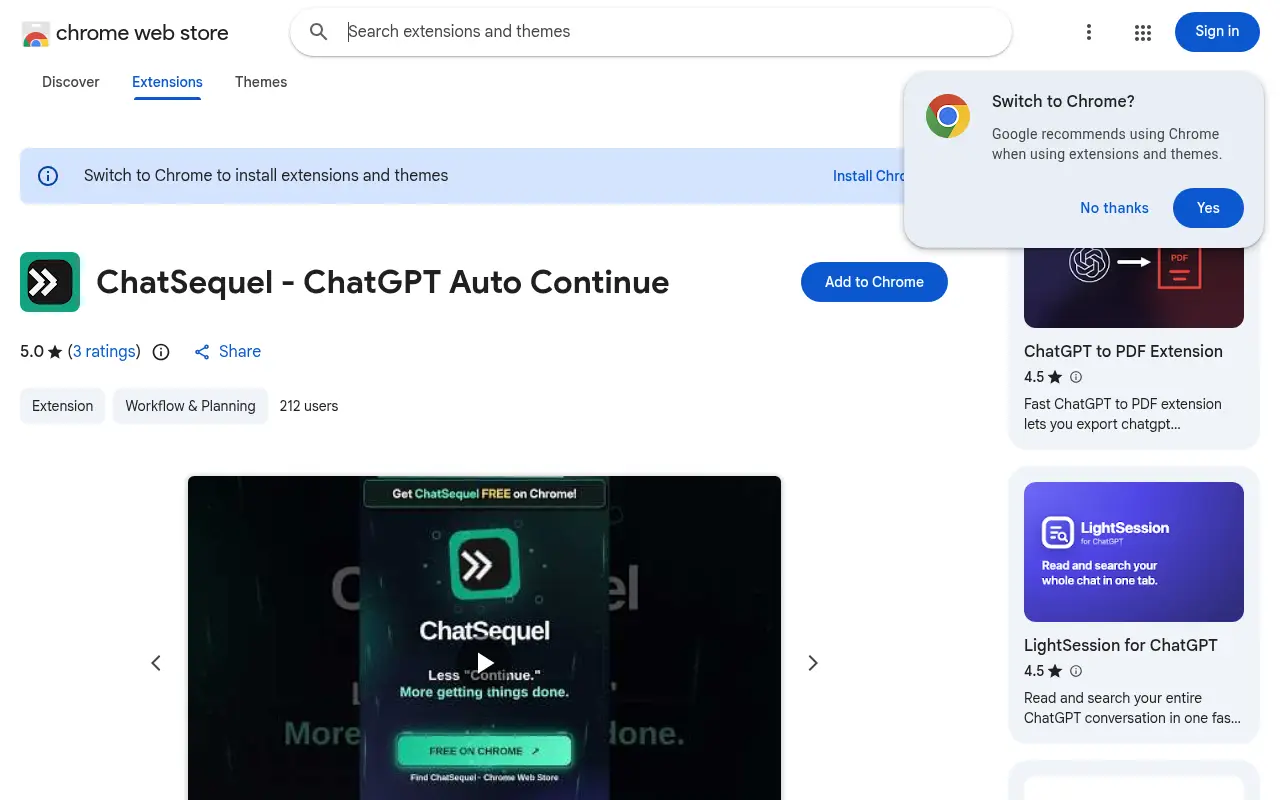
Chrome extension that sends a "Continue" message to ChatGPT after each reply in tabs you enable, with pause controls and a HANDOFF to a new chat.
When the answer stops halfway
You've asked ChatGPT for something long, a full chapter or a big chunk of code, and it stops mid-way. You type "Continue", wait, type it again, and lose track of whether you're on part three or part five. ChatSequel is a small Chrome extension that does that typing for you. After ChatGPT finishes a reply, it can send your chosen continuation message after a delay you set, and it only does this in tabs you explicitly switch on.
Its Chrome Web Store title is "ChatSequel - ChatGPT Auto Continue". The product itself is called ChatSequel, ChatGPT appears in the title only to say what it works with, and the listing states that it isn't affiliated with, endorsed by or sponsored by OpenAI.
Continuing, pausing and moving on
Each tab gets its own pause, resume and stop controls, and you can cap how many continuations it sends before it stops. That cap is worth setting, since leaving it unlimited means the extension keeps sending messages on your behalf for as long as replies keep ending.
The other feature is HANDOFF. When a conversation gets too long, ChatSequel can prepare a summary from the chat content currently on the page and, when you authorise it, open a new chat and submit that summary. The listing is honest that this may be incomplete: messages ChatGPT hasn't loaded, or has removed from the page, can't be recovered, and preserving all of a conversation's context isn't guaranteed.
Before you install it
It's free and ad-free, with no account, and it's published by Prax9, a non-trader on the Chrome Web Store. According to its privacy policy, last updated November 15, 2026, ChatSequel doesn't send conversation content to developer-operated servers, sell it or use it for advertising. Anything it sends goes through ChatGPT itself, so a HANDOFF summary is processed by ChatGPT like any other message. To check ChatGPT's own usage information, it briefly reads your ChatGPT session access token and account ID inside the page; the policy says it doesn't save those or send them to Prax9.
What it does keep is local, and it keeps quite a lot. A short context cache ignores entries older than 90 days, but a separate archive in the browser's IndexedDB can hold captured messages and HANDOFF summaries with no age limit. The "Delete saved copies" button doesn't clear that archive; "Clear saved context" on a conversation does, and so does uninstalling.
If you regularly ask ChatGPT for long outputs and are tired of nudging it along by hand, ChatSequel is a tidy fix for that one chore. If you'd rather nothing keep a copy of your chats on your computer, or you're wary of any extension that sends messages for you, this one isn't a good fit.
Project note details
Dates and editorial links
Published
November 23, 2026
Updated
November 23, 2026
Last checked
Nov 23, 2026
Last checked is the most recent date ChatSequel's own public pages were visited for this note. Seen something that has changed since? Tell us and we'll fix it.
Note history
Publication and substantive update dates for this public note.
- Nov 23, 2026
- Project note published.
Want to come back to ChatSequel?
Save it to this browser. Your Saved list marks projects whose note or updates changed since you last looked.
Keep exploring
More like ChatSequel
- CrateBackBrowser Extensions · Chrome extension that catches recent tab audio and files it into local crates for producers.
- AI Health ExportHealth & Wellbeing · An iPhone app that turns Apple Health data into AI-ready CSV files, with an optional in-app chat that sends your health context to Google Gemini.
- Dayora ChatGPT Journal ReaderUtilities & Calculators · A free browser utility for searching user messages in a ChatGPT export and saving selected passages as dated Markdown.
- Reflex LayerDeveloper Tools · Checks each reply an AI phone agent is about to say against a business's rules, prices and hours, and swaps in a safe line when one fails.
- AI Error WikiWebsites · AI Error Wiki is a free, unofficial reference for error messages and odd tool names that show up in ChatGPT, Gemini, Claude and Codex.
- CollabPinBrowser Extensions · Pin feedback to elements on a live website in Chrome.
- PinumoBrowser Extensions · A free screenshot tool for Chrome, Edge and Windows that collects captures into a set you can save, combine or export as a PDF.
- RiffBrowser Extensions · A free Chrome, Brave and Edge extension that drafts replies and posts in your voice using AI models that run on your own computer.








For the makerAdd the badge to your site
If you made ChatSequel, you can post about this note with a ready-to-edit announcement, or show it on your own site with an optional badge that links back here. Neither changes the note's text or placement. This note's link to the project is marked as user-submitted until the project's site links back, for example with the badge, and is a full backlink while it does.

Want to keep this note's facts current yourself? Project Radar Pro lets a verified maker confirm status, pricing and platforms in a labeled block, post one update a month and see the note's activity totals. It never changes the note's text or placement. See what Pro includes
Building something useful?
Submit your project for free. If selected, it gets a Project Note that explains what it does and links to your work. Publication isn't guaranteed.
Submit a project