DeskBlur
A small Mac app that fades everything behind your active window, with a seven-day trial and a one-time price.
Project links
Visit productRequest correctionProject Note
A closer look at DeskBlur
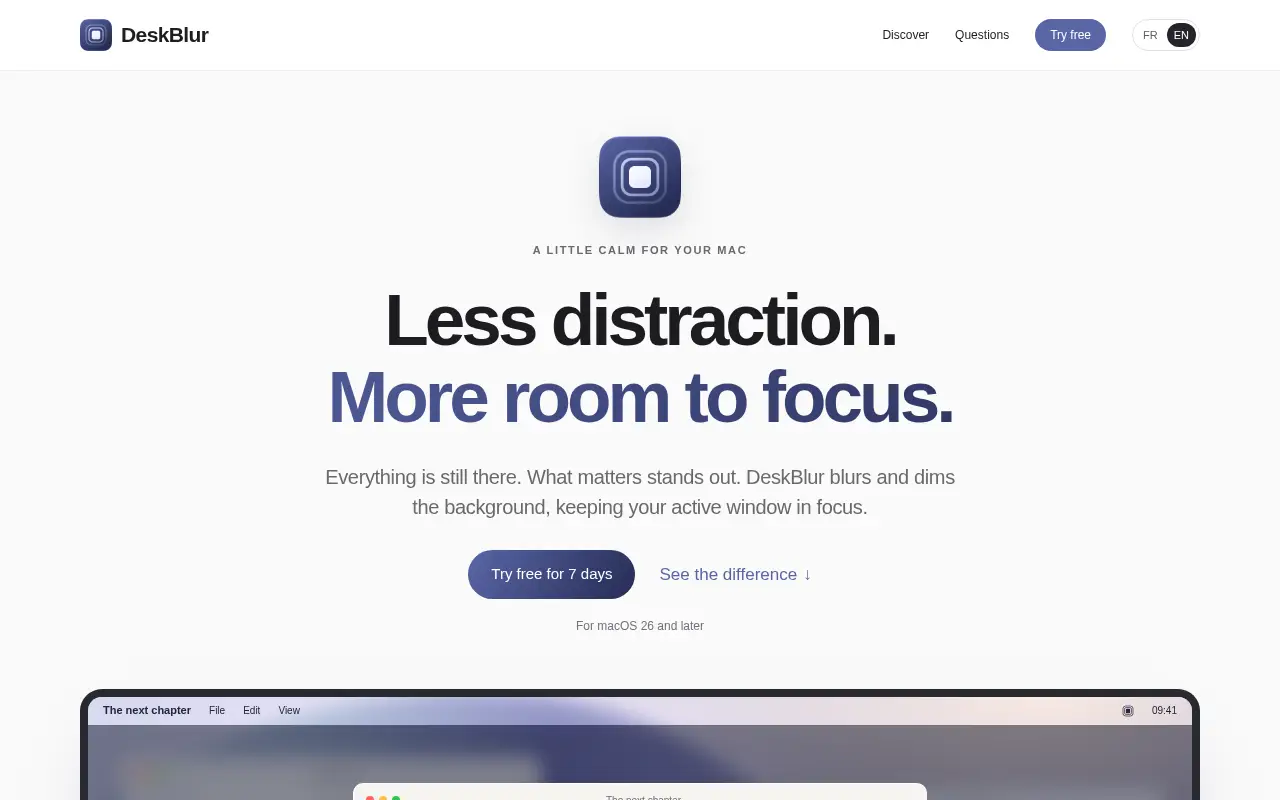
A Mac menu-bar app that blurs and dims background windows so the one you're working in stands out.
Six windows, one job
You sit down to finish a report. Behind the document there's a chat window with a red badge, an inbox with a dozen unread messages, and a browser tab you meant to close yesterday. Nothing is making noise, but your eyes keep drifting.
DeskBlur is a Mac menu-bar app built for that drift. It blurs and dims everything behind the window you're working in, so the active one stays sharp and the rest fades into a soft backdrop. Your apps and documents stay open. Click another window and the focus moves with you.
It's made by Eric Serpi, whose site signs off with "Developed with love in France." The site itself opens in French, with an English switch.
Tuning how much fades
One blur level doesn't suit every app, so intensity can be set per app. You might want a heavy fade behind your writing app and a lighter one behind a spreadsheet you glance at. With more than one display, you choose whether the other screens are blurred or left alone, and the app remembers.
Stage Manager gets its own handling. The first time DeskBlur notices it, the blur switches off and a notification tells you. You can turn it back on, or have the effects pause whenever Stage Manager is active. The app runs on macOS 26 or later.
One detail matters more than it sounds. DeskBlur asks for no Accessibility or Screen Recording permission, which is reassuring in a tool that sits over everything on your screen.
Trying it, and paying once
The trial runs seven days with every feature included. When it ends, the effects switch off and your settings are kept. After that it's a one-time purchase with no subscription. The website doesn't print a price and only promises it's shown before the trial starts. The US App Store listed the full version at $2.99 in November 2026.
According to the privacy policy, updated November 4, 2026, there's no account, and the app doesn't capture what's on your screen. It works from the position and order of your windows, on your Mac. A local history of up to 200 technical events helps with troubleshooting, and events older than seven days are removed. If you email support, the message passes through Cloudflare to a Gmail inbox.
If a busy desktop keeps stealing your attention, a week with DeskBlur costs nothing and should tell you whether a quieter screen helps.
Project note details
Dates and editorial links
Published
November 12, 2026
Updated
November 12, 2026
Note history
Publication and substantive update dates for this public note.
- Nov 12, 2026
- Project note published.
Want to come back to DeskBlur?
Save it to this browser. Your Saved list marks projects whose note or updates changed since you last looked.
Keep exploring
More like DeskBlur
- SideleafApps · A Mac sticky notes app that tucks notes into a deck at the screen edge, with a seven-day trial and a one-time price.
- Backspace: macOS Live WallpapersApps · A macOS live-wallpaper app advertised with scene previews, favorites, and playlists for multiple displays.
- Pocket ScreenApps · A Mac app designed to show a separate live view of another app in a floating window.
- BackgroundPXRAI & Skills · A Windows photo tool described as combining AI background removal with manual mask cleanup and batch export.
- Proven WatersApps · Free Southern California fishing conditions, landing fish counts and open trips in one place, with dated official sources.
- OrzellaApps · An iPhone and iPad recipe book that imports from websites, text, photos and social captions, with meal plans and grocery lists.
- Question Cards: Couples GameApps · A conversation card game for couples and friends on iPhone, with 41 decks of questions and a web version to try.
- AnvilApps · An AI chat and image app for iPhone 15 Pro and newer that runs its models on the phone and works offline.



For the makerAdd the badge to your site
If you made DeskBlur, you can post about this note with a ready-to-edit announcement, or show it on your own site with an optional badge that links back here. Neither changes the note's text or placement. This note's link to the project is marked as user-submitted until the project's site links back, for example with the badge, and is a standard link while it does.

Want to keep this note's facts current yourself? Project Radar Pro lets a verified maker confirm status, pricing and platforms in a labeled block, post one update a month and see the note's activity totals. It never changes the note's text or placement. See what Pro includes
Building something useful?
Submit your project for free. If selected, it gets a Project Note that explains what it does and links to your work. Publication isn't guaranteed.
Submit a project