
EditablePPT
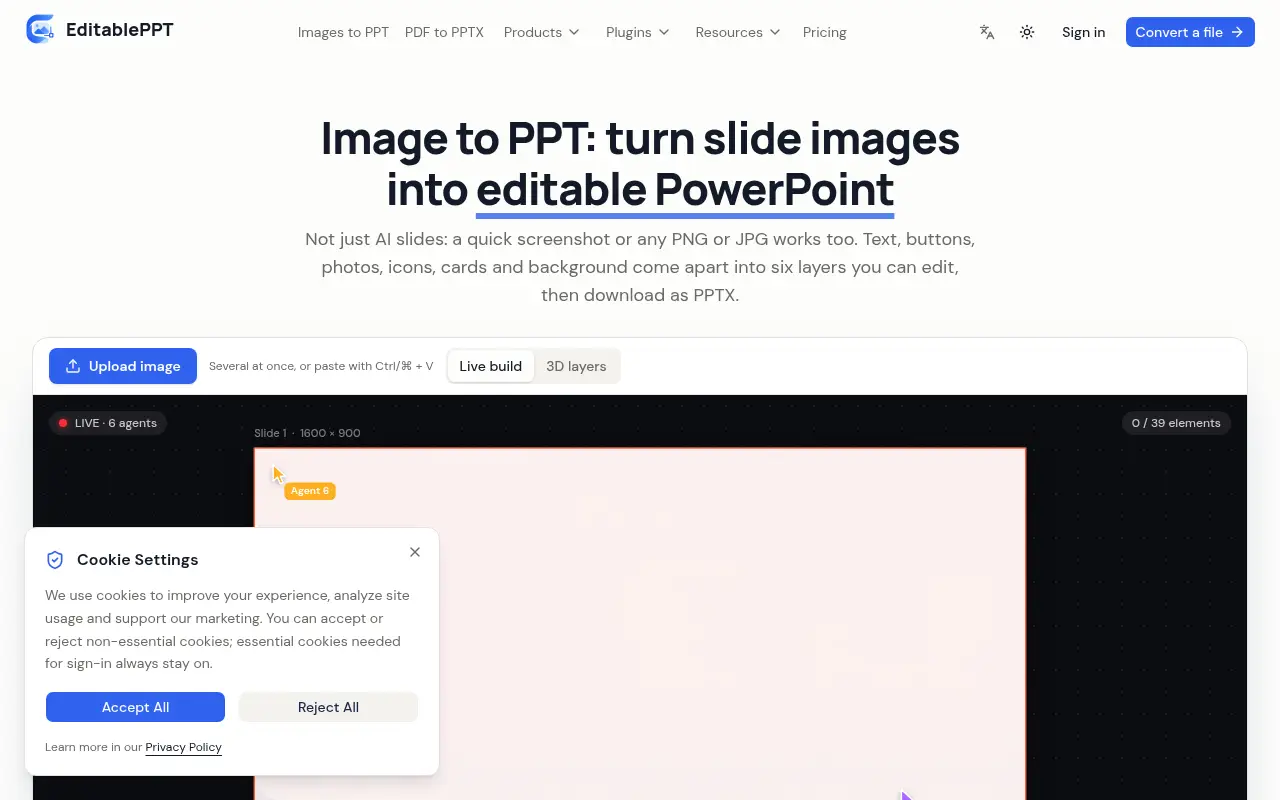
Turns slide screenshots, images and PDFs into editable PowerPoint files, with real text boxes and the pictures split into separate layers.
Project links
Visit productRequest correctionProject Note
A closer look at EditablePPT
Converts slide screenshots, images and PDFs into editable .pptx files, on the web and in design and coding tools.
When all you have is a picture of the slide
Someone sends you a deck as a PDF, or a client's only copy of last year's slides is a set of screenshots, and now the numbers need changing. Retyping every slide is the usual answer. EditablePPT turns those images, PDFs and presentations back into a PowerPoint file you can edit.
Text comes back as native text boxes. Photos, icons, cards and the background are split into separate image layers, either in a standard two-layer mode or a Layered mode with six. There's a limit worth knowing up front: lettering with outlines or sticker-style effects stays inside an image, and cards and panels come back as image layers, not native shapes. So expect to edit the words, not rebuild the design.
More than conversion
It also plans and generates presentations with AI and writes speaker notes. The same account and credits work on the website and through a Figma plugin, a Google Slides add-on and a plugin for AI coding tools such as Claude Code, Cursor, Codex and VS Code.
Pricing is in credits. You get 500 free credits when you sign up, which the site puts at about 12 pages. Subscriptions run $9 a month for about 150 pages, $29 for about 600 and $99 for about 2,500. If you only convert now and then, one-off page packs start at $1.99 for 20 pages and don't expire. Failed pages are retried for free, and you can cancel any time.
What happens to your files
You need an account for the AI conversion. According to its privacy policy, last updated 8 November 2026, the files you convert are uploaded to the service and passed to infrastructure, storage, file-processing and AI providers, described by category rather than named. Your conversion records stay on the server until you delete them from your conversion history. The policy says your content isn't used to train AI models, sold or used for advertising, and it asks you not to upload confidential or regulated material.
The about page says EditablePPT is developed and operated by EditablePPT Studio, an independent developer based in Wuhan, China, with a support email.
If you regularly inherit decks as screenshots or PDFs, the free credits are enough to see how your own slides come back. If your slides hold confidential material, or the design depends on stylised lettering, it's a weaker fit.
For reference
Project facts
The published details and source context, together in one place.
- Stage
- Launched
Project note details
Dates and editorial links
Published
November 17, 2026
Updated
November 17, 2026
Last checked
Nov 17, 2026
Last checked is the most recent date EditablePPT's own public pages were visited for this note. Seen something that has changed since? Tell us and we'll fix it.
Note history
Publication and substantive update dates for this public note.
- Nov 17, 2026
- Project note published.
Want to come back to EditablePPT?
Save it to this browser. Your Saved list marks projects whose note or updates changed since you last looked.
Keep exploring
More like EditablePPT
- OpenFirmListSaaS · A company search engine for finding suppliers and buyers by product, sector and location, usable from AI tools.
- PiSpace ToolsUtilities & Calculators · 74 free browser tools for images, PDFs, video, audio and text that process files on your device, with no uploads, account or ads.
- NoFileUploadUtilities & Calculators · Free in-browser tools for file metadata, image conversion and PDFs, with no uploads.
- zippicUtilities & Calculators · Free image compressor plus 19 more file tools for images, video and PDFs.
- MergePNGUtilities & Calculators · MergePNG combines several PNG files into one image, side by side, stacked or in a grid, inside your browser without uploading them.
- UseFreeToolsUtilities & Calculators · UseFreeTools collects 758 free browser tools for PDFs, images, text, spreadsheets, units, finance and dates.
- AudioMIDICreator Tools · AudioMIDI is a free browser tool that converts MP3, WAV and other audio files into editable MIDI.
- RadclubSaaS · Shared Minecraft and Valheim servers for friend groups, paid from one club jar everyone chips into.






For the makerAdd the badge to your site
If you made EditablePPT, you can post about this note with a ready-to-edit announcement, or show it on your own site with an optional badge that links back here. Neither has any effect on the note or its placement.

Want to keep this note's facts current yourself? Project Radar Pro lets a verified maker confirm status, pricing and platforms in a labeled block, post one update a month and see the note's activity totals. It never changes the note's text or placement. See what Pro includes
Building something useful?
Submit your project for free. If selected, it gets a Project Note that explains what it does and links to your work. Publication isn't guaranteed.
Submit a project