Kite
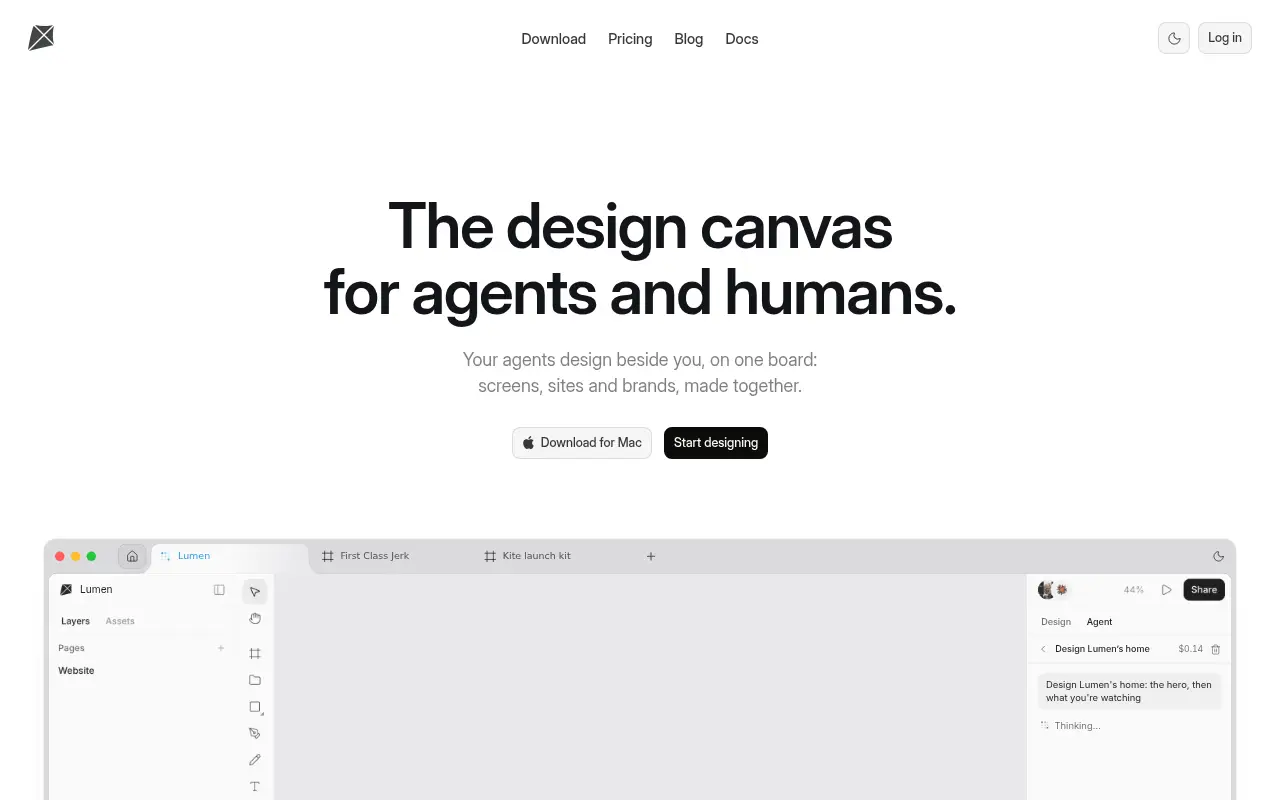
A design canvas where you and your AI agent work in the same file, built on real HTML and CSS.
Project links
Visit productRequest correctionProject Note
A closer look at Kite
A design canvas where people and AI agents work in the same HTML and CSS file, with an MCP server and Figma paste both ways. Free for 3 files; Pro is $20 per editor a month.
When the agent's mockup and yours aren't the same thing
Ask a coding agent for a settings screen and you'll get one, as code. Open your design tool and you have the same screen as shapes on a canvas. Now there are two versions, and somebody has to keep them in step. Usually that somebody is you, late on a Thursday.
Kite is a design canvas built to remove that second copy. Its home page puts it this way: "a design is real HTML and CSS, so what your agent writes and what you draw are the same thing." You draw with flex and grid layouts, components, variables and a pen tool. An agent such as Claude, ChatGPT or Cursor works in the same file through Kite's hosted MCP server, which the site says has 61 tools to read, draw, edit and check designs.
The team's about page reads like a short manifesto. It calls Kite "a canvas for the years in between", the stretch where you design next to your agents before you mostly direct them.
Leave a comment, get a change
The comment thread is what makes this feel practical. Pin a comment where a change belongs and mention your agent. It reads the frame and the layer you clicked, does the work and answers in the thread. In Kite for Mac, those requests run with Claude Code or Codex on your own machine.
Kite also tries not to trap you. Frames paste in from Figma as layers you can edit, and a right-click sends a frame back the other way. Any frame copies out as HTML, React or Tailwind, which matters when the design is meant to become a product and not a picture of one.
Design systems get the same treatment. An agent draws with the system's variables, not fixed values, so changing one value updates every frame drawn with it. That's a nice touch if you've ever chased a brand colour through forty screens.
Before you move a team in
The free plan is generous with people and tight on files. You get unlimited editors and viewers, one workspace with 3 files and 3 design systems, and 200 agent actions a day. Pro is $20 per editor a month, or $16 billed yearly, with unlimited files and version history. Team is listed at $35, or $28 yearly, and starts with an email to the team. Kite sells no AI credits. Your agent runs on the plan you already pay for, so count that cost separately.
According to the privacy policy, updated November 11, 2026, your files stay private to your workspace until you share them, and Kite says it doesn't read them, train on them or sell them. Two things are worth knowing before you sign up. While you're signed in, your sessions are recorded as replays with text masked and pictures hidden. And the founder may email you getting-started notes, which the policy says an AI model helps draft.
The pages mention a founder, Loukman, and sign off as the Kite team, but name no company. The terms are short and date from September 8, 2026. Also, kite.ai is a separate company with a different product.
If you already hand interface work to an agent and then rebuild it in a design tool, three free files are enough to find out whether one canvas can do both jobs. If you need more than 3 files without paying, or you'd rather not have your sessions recorded as replays, this may not be the one for you.
For reference
Project facts
The published details and source context, together in one place.
- Stage
- Launched
- Pricing
- Free and paid options: Free, with Pro at $20 per editor a month
Project note details
Dates and editorial links
Published
November 13, 2026
Updated
November 14, 2026
Last checked
Nov 14, 2026
Last checked is the most recent date Kite's own public pages were visited for this note. Seen something that has changed since? Tell us and we'll fix it.
Note history
Publication and substantive update dates for this public note.
- Nov 13, 2026
- Project note published.
- Nov 14, 2026
- Project note updated.
Want to come back to Kite?
Save it to this browser. Your Saved list marks projects whose note or updates changed since you last looked.
Keep exploring
More like Kite
- Audio Enhancer AIAI & Skills · A browser tool that reduces background noise and sharpens speech in recordings, free for audio up to 10 minutes.
- Agent BarnAI & Skills · Open-source, self-hosted control plane for team AI agents in Slack, Teams and email, with per-agent logs and costs.
- AgentOSAI & Skills · Connects a team's email, Slack, docs and calls into one memory that its AI tools share over MCP.
- AI diagram agentAI & Skills · A browser diagram workspace with text and file input, chat revisions, manual editing, saved versions and PNG, SVG or PDF exports.
- AIMarket24AI & Skills · A marketplace for ready-made AI workflows, bots, MCP servers and prompt packs, with held payments and optional code audits.
- DugoutSaaS · A team workspace where AI agents sit in the same channels, boards and docs as people, with free chat, huddles and kanban, and agents from $4 a member.
- Answer me with HTMLAI & Skills · Open-source agent skill and CLI that render a short Markdown draft into one offline HTML page with diagrams, tables and themes.
- VectoreeDeveloper Tools · Vectoree gives coding agents a ready backend: one project key for models from several providers, plus user sign-in, a Postgres database and file storage, billed pay-as-you-go.







For the makerAdd the badge to your site
If you made Kite, you can post about this note with a ready-to-edit announcement, or show it on your own site with an optional badge that links back here. Neither changes the note's text or placement. This note's link to the project is marked as user-submitted until the project's site links back, for example with the badge, and is a full backlink while it does.

Want to keep this note's facts current yourself? Project Radar Pro lets a verified maker confirm status, pricing and platforms in a labeled block, post one update a month and see the note's activity totals. It never changes the note's text or placement. See what Pro includes
Building something useful?
Submit your project for free. If selected, it gets a Project Note that explains what it does and links to your work. Publication isn't guaranteed.
Submit a project