ShareSpeak
A voice-following teleprompter for Mac and Windows that stays hidden from screen shares and recordings. One-time $14.99 for two devices; speech runs locally by default.
Project links
Visit productRequest correctionProject Note
A closer look at ShareSpeak
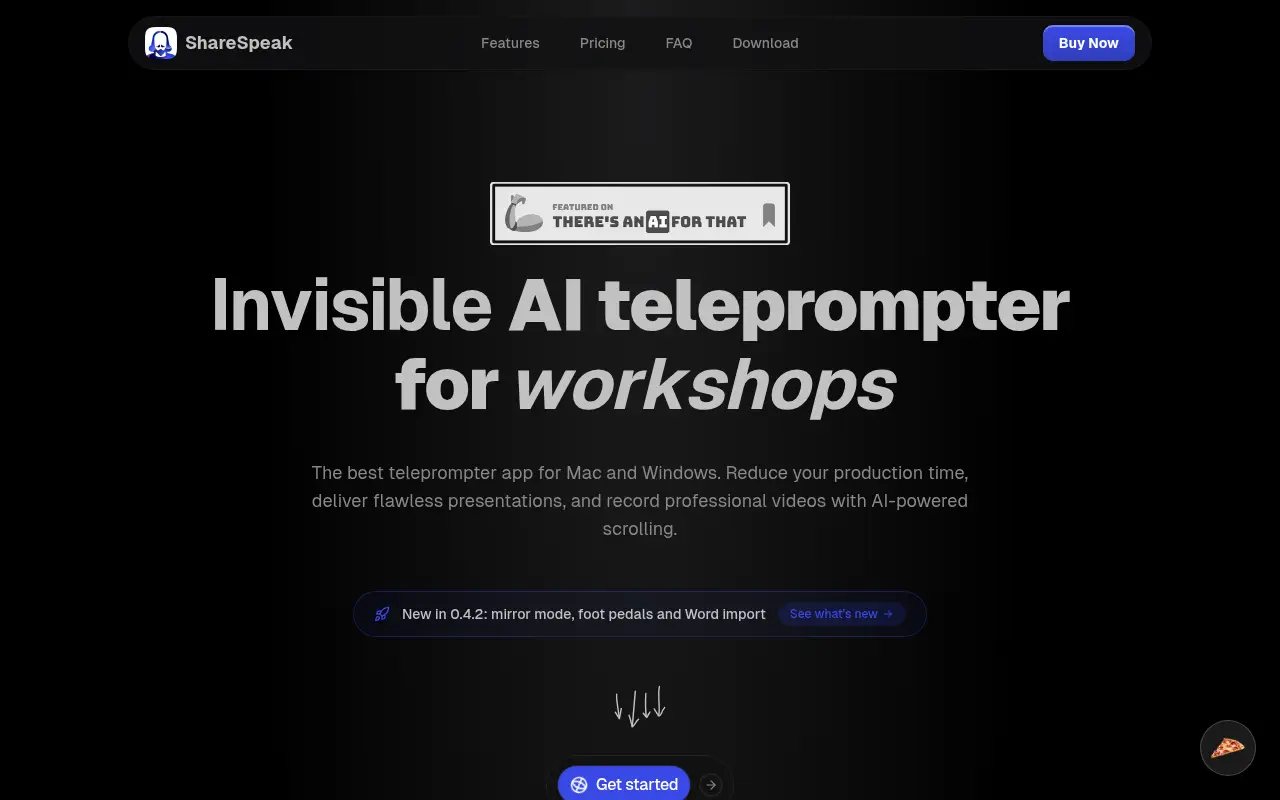
A teleprompter for Mac and Windows that follows your voice and stays invisible in screen shares and recordings. One-time $14.99.
Reading a script without looking like it
You've got a demo to record or a talk to give over Zoom, and the script is open in another window. Every glance away shows on camera. ShareSpeak is a teleprompter for Mac and Windows built for that moment. The text sits on top of your screen, scrolls as you speak, and doesn't show up in screen shares or recordings in Zoom, Teams, Google Meet, Loom or OBS.
On a MacBook it can sit inside the notch, right next to the camera, so your eyes stay close to the lens. The window resizes to whatever you need and remembers the size. If you go off script, Pause stops it following your words while the microphone stays open, and double-clicking the word you're on picks the reading back up from there.
How it follows your voice
By default it uses Apple Speech on Apple Silicon Macs and a local Whisper model on Windows, so your audio stays on your computer. Whisper comes in sizes up to Large v3 Turbo on Apple Silicon, which the FAQ calls the most accurate for languages other than English. There's also a Gemini option that runs in Google's cloud under an API key you supply yourself. You get 32 speech-language options, and if you'd rather not use the microphone at all, Classic mode scrolls at a fixed speed and Manual mode moves only when you scroll.
Version 0.4.2 added a mirror mode for teleprompter glass rigs, support for presentation clickers and foot pedals, and Word import, where headings become sections you can jump between. A countdown and a clock tell you whether you're ahead of or behind your target time, and the take history keeps your pace without keeping what you said.
The site also pitches it for remote job interviews, as a place to keep your own prep notes where the interviewer can't see them. It doesn't write answers for you, and the interview page itself says that if an interview bans notes or runs a lockdown browser or proctoring, you should follow those rules and not use it.
Before you buy
There's no free version. ShareSpeak is a one-time $14.99 purchase with lifetime updates, covering two devices on a license you can move between machines, and the site says the price rises to $17.99 after 1,000 users. Refunds are considered case by case within 21 days. A free companion app for iPhone is also listed.
According to the privacy policy, scripts and settings stay on your device, payment runs through Stripe, licenses through Keygen.sh, and the website uses Umami analytics. The maker goes by Vlad and answers support at vlad@sharespeak.co; no company name appears on the site.
If you record screen demos or present on video calls and want your notes next to the camera without anyone seeing them, ShareSpeak is a tidy, inexpensive fix. If you'd want a free trial before paying, there isn't one, so check the refund terms first.
Project note details
Dates and editorial links
Published
November 23, 2026
Updated
November 23, 2026
Last checked
Nov 24, 2026
Last checked is the most recent date ShareSpeak's own public pages were visited for this note. Seen something that has changed since? Tell us and we'll fix it.
Note history
Publication and substantive update dates for this public note.
- Nov 23, 2026
- Project note published.
Want to come back to ShareSpeak?
Save it to this browser. Your Saved list marks projects whose note or updates changed since you last looked.
Keep exploring
More like ShareSpeak
- Startup Funding TrackerSaaS · A daily list of US startups that just reported new funding to the SEC, with company pages, the officers named on each filing and email alerts.
- PanelOSUtilities & Calculators · A Windows app that puts live PC stats, a clock, weather and now-playing info on a 3.5-inch USB case screen.
- PageVeilBrowser Extensions · A browser extension that blurs, hides or replaces emails, phone numbers and API keys on any webpage before screen sharing, demos and recordings.
- GlaidoAI & Skills · Glaido is a voice dictation app for macOS, Windows 11 and Linux.
- Auto-RespondSaaS · AI replies, follow-up and optional voice calls for service-business leads, priced per connected channel.
- VertovCreator Tools · Browser screen recorder with transcript editing, timestamped comments on share links, AI summaries and an MCP server for agents.
- recorder.videoCreator Tools · Record your screen, a tab, your webcam and your voice together or separately, trim the take and export MP4, WebM, audio or a GIF, all in the browser.
- RadclubSaaS · Shared Minecraft and Valheim servers for friend groups, paid from one club jar everyone chips into.






For the makerAdd the badge to your site
If you made ShareSpeak, you can post about this note with a ready-to-edit announcement, or show it on your own site with an optional badge that links back here. Neither changes the note's text or placement. This note's link to the project is marked as user-submitted until the project's site links back, for example with the badge, and is a full backlink while it does.

Want to keep this note's facts current yourself? Project Radar Pro lets a verified maker confirm status, pricing and platforms in a labeled block, post one update a month and see the note's activity totals. It never changes the note's text or placement. See what Pro includes
Building something useful?
Submit your project for free. If selected, it gets a Project Note that explains what it does and links to your work. Publication isn't guaranteed.
Submit a project