
Oh My Notes
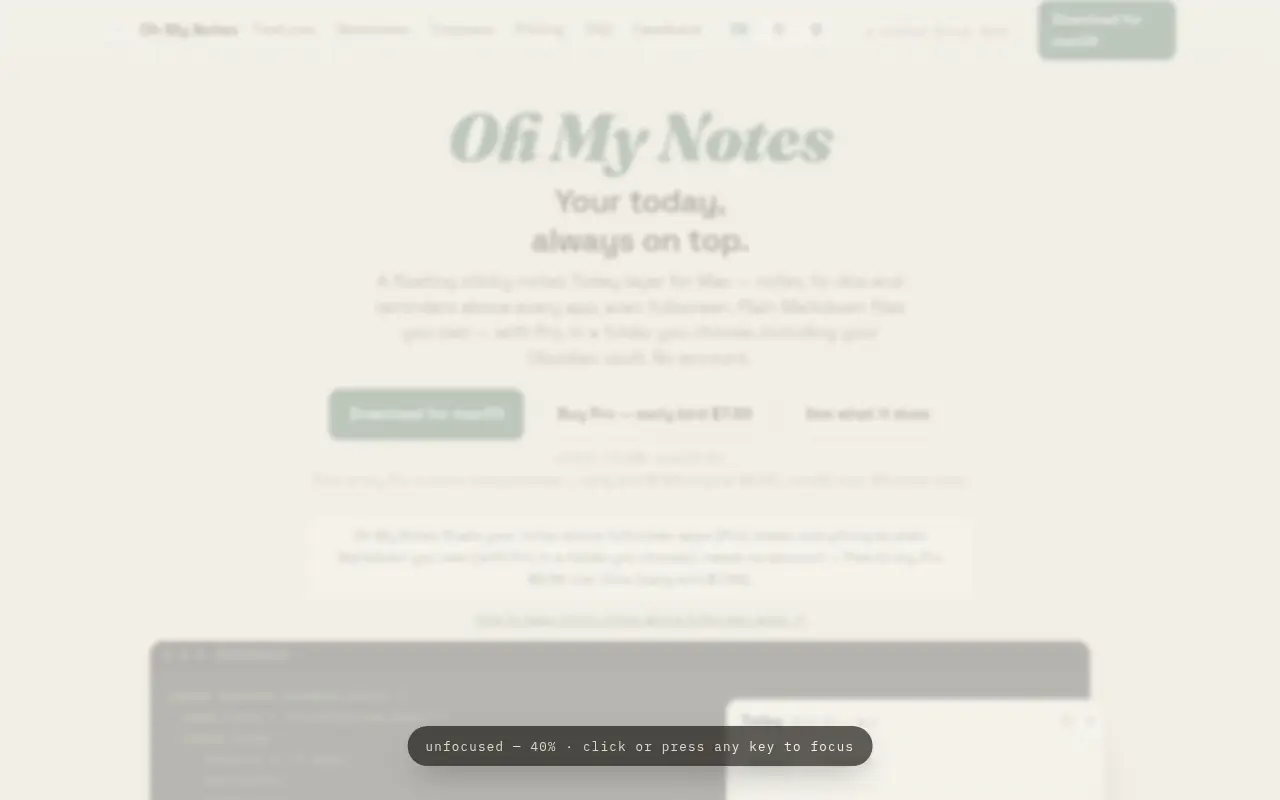
A Mac sticky-notes app that keeps notes, to-dos and reminders on top of your work, saved as plain Markdown files you own.
Project links
Visit productRequest correctionProject Note
A closer look at Oh My Notes
Floating Mac sticky notes and reminders saved as plain Markdown files on your computer, with no account and a one-time Pro upgrade.
The note you wrote and then lost
You jot a phone number, a reminder to send an invoice, a half-formed idea. Then a fullscreen app takes over the screen and that note is gone until you remember to look for it, which is usually after it mattered. Most notes apps are great at storing things and bad at keeping today's few things in sight.
Oh My Notes calls itself a Today layer for the Mac. It floats sticky notes, to-dos and reminders above your other windows, and with Pro they stay on top of fullscreen apps as well. When you click away, the notes fade to an opacity you choose, so they're there without being in the way.
Quick to grab, easy to own
A global hotkey opens a note from any app, so capturing something takes a couple of seconds. Reminders come with presets or a custom time and show up as normal macOS notifications, and Pro adds daily or weekly repeats. There's an inbox and boards, pinning, a Markdown editor with a visible toolbar, and an interface in English, Simplified or Traditional Chinese.
The part Markdown fans will like most is where the notes live. Each one is a plain .md file, by default in ~/Documents/OhMyNotes, so you can search it, back it up or open it in any editor. If you use iCloud for Documents, the files follow you to your other Macs. Pro lets you point it at another folder, including an Obsidian vault, iCloud Drive, Dropbox or a git repo.
The home page also says the floating notes don't appear in screen sharing, recordings or screenshots by default, which is a thoughtful detail if you keep private reminders on screen during calls.
Before you download
The app is on version 0.2.0, a 7.2 MB download for macOS 13 or later. There's a free tier that the terms say stays free, a 14-day trial that unlocks Pro, and Pro itself is a one-time purchase, $7.99 at the early-bird price or $9.99 regular. A Windows version is in development, with Linux after that.
According to its privacy policy, last updated October 29, 2026, the app has no account system and doesn't upload your notes. The website uses Cloudflare Web Analytics, and the feedback form goes through Formspree if you choose to send one. The site doesn't name a person or company behind the app, which matters less when your notes never leave your Mac.
It's a good fit for Mac users who want their day's notes and tasks always in view and like keeping their files in plain Markdown. If you're on Windows or Linux, it isn't ready for you yet. For anyone who has ever lost a sticky note behind a fullscreen window, it's worth a try.
For reference
Project facts
The published details and source context, together in one place.
- Stage
- Launched
Project note details
Dates and editorial links
Published
November 18, 2026
Updated
November 18, 2026
Last checked
Nov 18, 2026
Last checked is the most recent date Oh My Notes's own public pages were visited for this note. Seen something that has changed since? Tell us and we'll fix it.
Note history
Publication and substantive update dates for this public note.
- Nov 18, 2026
- Project note published.
Want to come back to Oh My Notes?
Save it to this browser. Your Saved list marks projects whose note or updates changed since you last looked.
Keep exploring
More like Oh My Notes
- PassportPhoto.appApps · Free passport photo cropper that runs in your browser, with country templates and print sheets.
- LocArkApps · Free offline notes and password vault in one locally encrypted workspace, with Pro kanban and mind maps for $4.9 a year or $24.9 for life.
- SideleafApps · A Mac sticky notes app that tucks notes into a deck at the screen edge, with a seven-day trial and a one-time price.
- SealedPocket (formerly ZeroNet Space)Apps · An iPhone and iPad vault for photos, files, notes and recordings that needs no account, now with a photo diary that puts pictures between paragraphs.
- EverDayApps · An iPhone weekly planner with tasks, reminders and widgets, plus a one-time Pro unlock for recurring tasks and month view.
- byeCRMSaaS · A Telegram CRM bot for client notes, saved context and reminders, with free and paid message allowances.
- AI diagram agentAI & Skills · A browser diagram workspace with text and file input, chat revisions, manual editing, saved versions and PNG, SVG or PDF exports.
- KeepemberAI & Skills · Ember combines reminders, a journal, and notes about people with a conversational assistant.




For the makerAdd the badge to your site
If you made Oh My Notes, you can post about this note with a ready-to-edit announcement, or show it on your own site with an optional badge that links back here. Neither changes the note's text or placement. This note's link to the project is marked as user-submitted until the project's site links back, for example with the badge, and is a full backlink while it does.

Want to keep this note's facts current yourself? Project Radar Pro lets a verified maker confirm status, pricing and platforms in a labeled block, post one update a month and see the note's activity totals. It never changes the note's text or placement. See what Pro includes
Building something useful?
Submit your project for free. If selected, it gets a Project Note that explains what it does and links to your work. Publication isn't guaranteed.
Submit a project