SafeNTFS
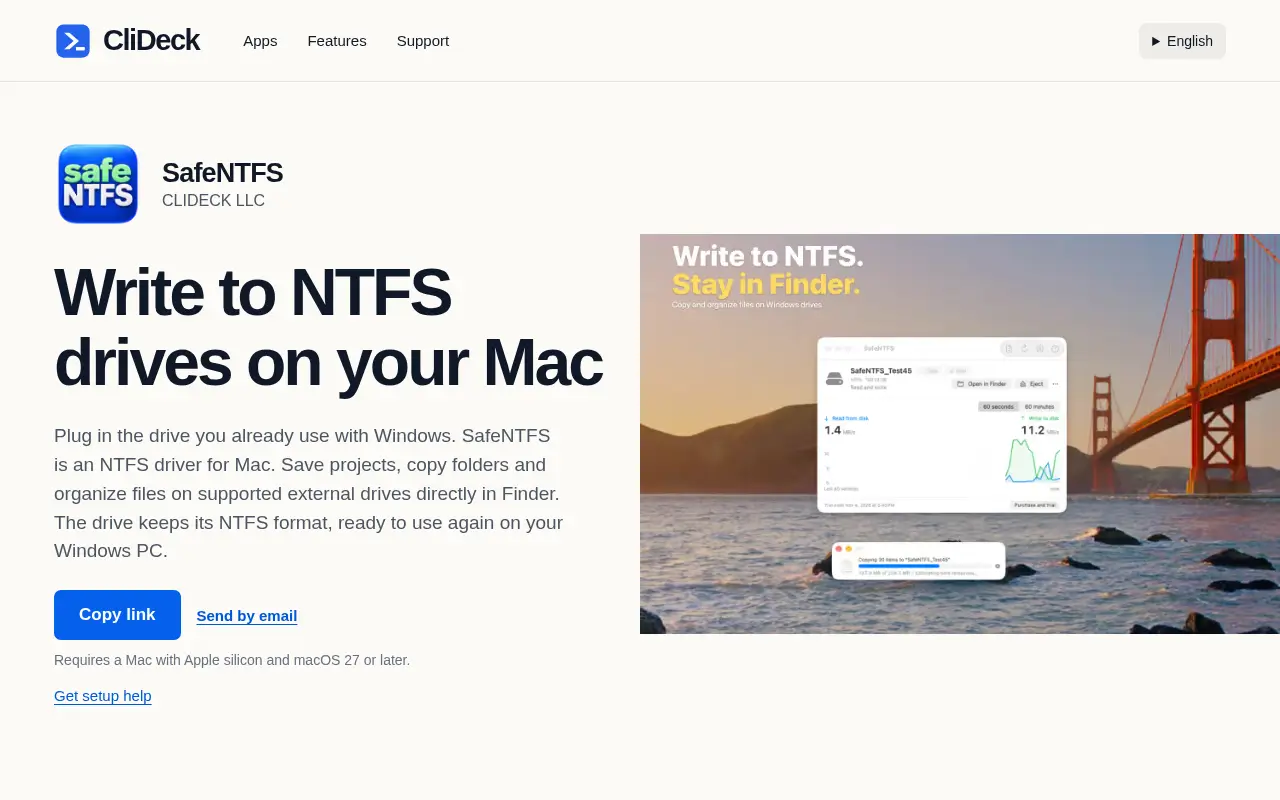
SafeNTFS lets an Apple silicon Mac on macOS 27 write to external NTFS drives in Finder, without reformatting them. The download includes a 4-day trial, then a one-time $9.99 unlock.
Project links
Visit productRequest correctionProject Note
A closer look at SafeNTFS
An NTFS driver for Apple silicon Macs on macOS 27 that adds write access to supported external drives in Finder. It is built on Apple's FSKit, offers Fast and Safe (readback) write modes, and comes with a 4-day free trial and a one-time Lifetime Access purchase.
The drive that only half works on a Mac
Anyone who moves files between a Windows PC and a Mac knows the moment. You plug in the external drive, Finder shows every folder, a file opens fine, and then you try to drag something onto it and nothing happens. macOS reads NTFS, the format Windows uses, but it won't write to it. The usual fix is reformatting the drive, which wipes it.
SafeNTFS, from CLIDECK LLC, is a Mac App Store app that adds write access to supported external NTFS drives so you can keep working in Finder. You turn it on once under File System Extensions, plug the drive in and give it access to the drive's root when macOS asks. From then on you copy, rename, move, replace and delete files the way you would on any other disk. The drive stays NTFS, so it goes back to the Windows PC unchanged.
Fast, Safe, and some honesty about risk
Writing to another system's file format is where people get nervous, and SafeNTFS gives you a choice about it. Fast mode writes without an extra check. Safe mode reads the written data back and compares it with the original, which takes longer but tells you the copy matches. Its own pages are frank that a readback check can't protect against a power cut or a cable that comes loose mid-transfer, and still tell you to keep a backup of anything important. That's the right tone for a disk driver.
It's built on Apple's FSKit rather than a kernel extension, runs in the App Sandbox, and setup leaves SIP and Startup Security settings alone, with no root access or privileged daemon. You keep the app running while you work, though its window can close. When you're done, eject the drive from SafeNTFS before unplugging it. If a transfer stops, the app shows drive status and an operation history, and you can export a diagnostic report for support. That report covers versions, drive details and errors, not your file contents, and you review it before it goes anywhere. The NTFS driver itself is GPL code, and you can save its source from the app's support settings.
Before you download it
The requirements are strict. You need a Mac with Apple silicon (M1 or later) running macOS 27 or later, so Intel Macs and older macOS versions are out. SafeNTFS doesn't format drives, recover lost files or repair a damaged NTFS volume, and BitLocker-encrypted volumes, EFS-encrypted files and WOF-compressed files aren't supported.
The download is free and includes a 4-day trial that runs 96 hours from your first Apple trial transaction, and reinstalling doesn't restart it. After that, writing needs a one-time Lifetime NTFS Write Access purchase, listed at $9.99 on the US App Store, with no subscription and no automatic charge when the trial ends. According to its privacy policy, drives and files are processed on your Mac and never uploaded automatically, and there's no account, no ads and no built-in analytics. If you email support, CLIDECK keeps those messages and attachments for one year and then deletes them.
If you shuttle one drive between a Windows PC and a recent Apple silicon Mac, the trial is a cheap way to see whether your drive behaves. If you're on an Intel Mac or your drive is BitLocker-encrypted, this one won't help yet.
Project note details
Dates and editorial links
Published
November 21, 2026
Updated
November 21, 2026
Last checked
Nov 22, 2026
Last checked is the most recent date SafeNTFS's own public pages were visited for this note. Seen something that has changed since? Tell us and we'll fix it.
Note history
Publication and substantive update dates for this public note.
- Nov 21, 2026
- Project note published.
Want to come back to SafeNTFS?
Save it to this browser. Your Saved list marks projects whose note or updates changed since you last looked.
Keep exploring
More like SafeNTFS
- Mouse Jiggler for MacUtilities & Calculators · A Mac menu-bar app that moves the pointer on a schedule to keep your Mac awake, with stop times, app conditions and a low-battery cutoff.
- MacNativeGamesGames & Fun · MacNativeGames is a free, independent guide to native games on Apple silicon Macs.
- RiffwiseBrowser Extensions · Riffwise adds Write a reply and Create quote text to the right-click menu in supported reply boxes.
- usb-reaDeveloper Tools · A free, MIT-licensed command-line tool that works out a USB device's protocol from captured traffic and writes a Python driver for it.
- ConfileoUtilities & Calculators · Free online toolbox of 101 PDF, OCR, image and document tools with strong Arabic and right-to-left support.
- EatWiseUtilities & Calculators · Free fast food nutrition calculators for 10 US chains, totaling calories, macros, sodium and caffeine for a customized order.
- IDPhotoDockUtilities & Calculators · Free in-browser passport photo cropper with printable sheets, plus an optional US$4.99 white-background portrait service for general use.
- ReckonBaseUtilities & Calculators · Seven free calculators for everyday money, math and concrete questions, each with a worked explanation.



For the makerAdd the badge to your site
If you made SafeNTFS, you can post about this note with a ready-to-edit announcement, or show it on your own site with an optional badge that links back here. Neither changes the note's text or placement. This note's link to the project is marked as user-submitted until the project's site links back, for example with the badge, and is a full backlink while it does.

Want to keep this note's facts current yourself? Project Radar Pro lets a verified maker confirm status, pricing and platforms in a labeled block, post one update a month and see the note's activity totals. It never changes the note's text or placement. See what Pro includes
Building something useful?
Submit your project for free. If selected, it gets a Project Note that explains what it does and links to your work. Publication isn't guaranteed.
Submit a project