boomerang.video
A free boomerang maker for clips you've already shot. Pick a moment between 0.4 and 6 seconds, choose one of five styles, and export without an account. It also reverses and slows clips.

Project links
Visit productRequest correctionProject Note
A closer look at boomerang.video
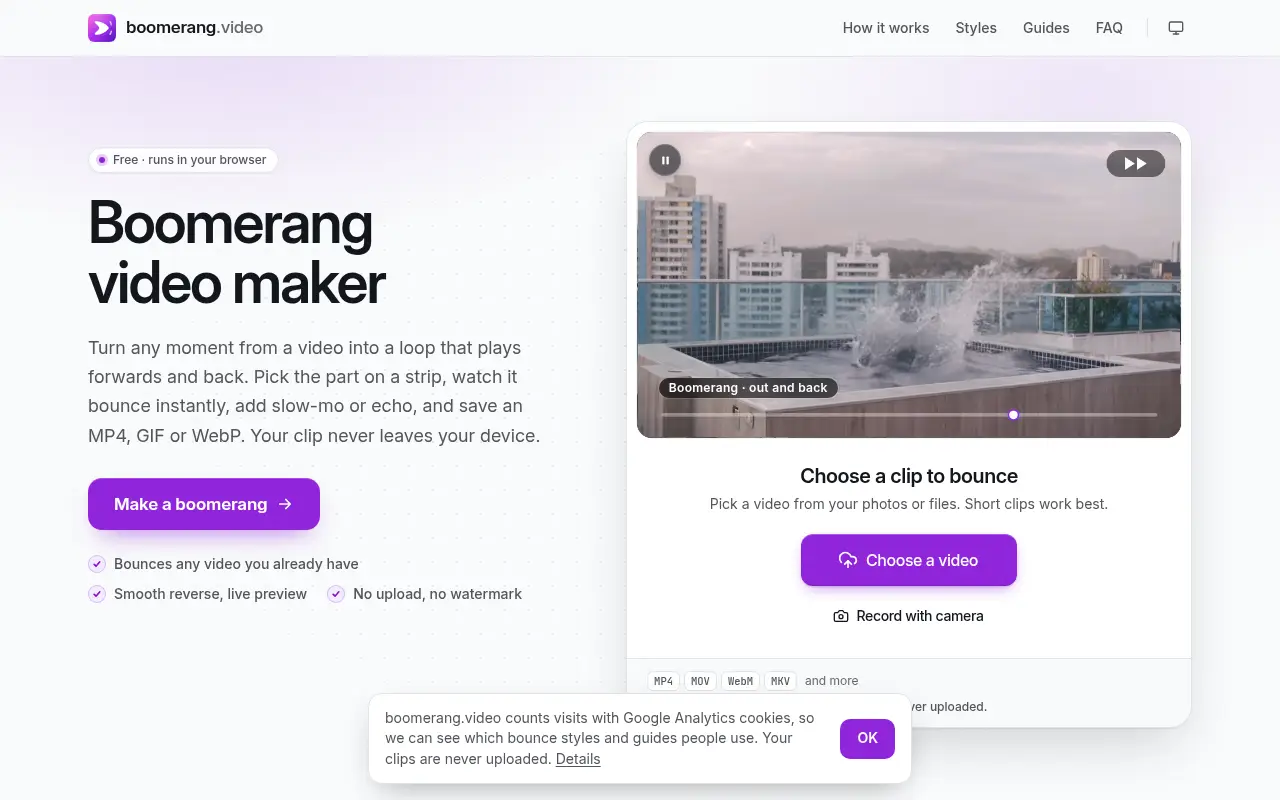
boomerang.video turns any clip you already have into a loop that plays forwards and back, saved as an MP4, GIF or WebP from your browser with no upload or watermark.
The loop you forgot to shoot
Boomerang mode on a phone only works if you remembered to switch it on before filming. Often you didn't, and the good moment is sitting in your camera roll as an ordinary clip.
boomerang.video works the other way round. You open any clip, or record a few seconds with your camera, and drag along a strip to pick the moment. The preview starts bouncing straight away. The team behind it says boomerangs usually have to be shot inside Instagram or another camera app, so an existing clip from the camera roll can't easily become one. That explains the focus on footage you've already filmed.
The bouncing part can be between 0.4 and 6 seconds of your clip. The advice on the site is to stay short, about one to two seconds of action. The moment is decoded once into memory, which is why the backwards half plays as smoothly as the forwards half.
Five styles and a couple of extras
There are five styles to start from. Classic, Slow-mo and Echo are joined by Rewind and Stutter. Speed runs from 0.25x to 4x. Shape crops to 9:16 for Stories, Reels and TikTok. You can also go square, 4:5 or 16:9, or keep the original frame, and you drag the preview to choose what stays in.
Two other modes sit under Make. Reverse plays up to a minute of a clip backwards once, with the sound reversed, kept forwards or off. Slow motion plays up to 30 seconds at 0.75x, 0.5x or 0.25x. Neither of those loops.
You save an MP4, a GIF or a WebP. The GIF suits chats and comments, where video often doesn't autoplay. Sound is off by default, and when you switch it on it plays backwards on the return. iPhone HEVC clips often can't be decoded outside Safari, so the site converts them on your device first, which takes a little longer.
Free, with one habit to pick up
There's no sign-up, no paid tier and no watermark or end card on the export. According to the privacy page, updated November 6, 2026, the clip is handled by the browser on your phone or computer from start to finish and never uploaded.
One detail matters in practice. The editor keeps nothing from one visit to the next, no clips, finished files or settings, so download your boomerang before closing the tab. The site counts visits with analytics you can switch off in Cookie settings, and by its own account it's funded independently. No person or company is named.
If there's a clip in your camera roll that deserves to bounce, this is a quick, free way to make it happen.
In their words
From the team behind boomerang.video
“Boomerangs usually have to be shot inside Instagram or another camera app”
“Sound is off by default and, when switched on, plays backwards on the return.”
For reference
Project facts
The published details and source context, together in one place.
- Stage
- Launched
Project note details
Dates and editorial links
Published
November 10, 2026
Updated
November 12, 2026
Note history
Publication and substantive update dates for this public note.
- Nov 10, 2026
- Project note published.
- Nov 12, 2026
- Project note updated.
Want to come back to boomerang.video?
Save it to this browser. Your Saved list marks projects whose note or updates changed since you last looked.
Keep exploring
More like boomerang.video
- stabilize.videoCreator Tools · A free browser video stabilizer with presets for walking, driving, drones and rolling-shutter wobble.
- loop.videoCreator Tools · loop.video repeats a clip into one longer file, from a few passes to three hours, and finds the cleanest loop point.
- rotate.videoUtilities & Calculators · rotate.video turns a sideways or upside-down video the right way up in your browser.
- quote.videoCreator Tools · A free quote video maker with more than 410 animated templates, a full layer editor, music and optional voiceover, exporting MP4 or images for every social size.
- ClipTrendAI Image & Video · An AI video site built around trending TikTok and Reels effects.
- audiogram.videoCreator Tools · A free audiogram maker for podcast clips and songs.
- ExportFramesCreator Tools · A free browser tool that extracts PNG or JPG frames from a video file without uploading it.
- InstaGridMakerCreator Tools · InstaGridMaker splits one photo into numbered tiles for an Instagram profile grid, sized for the 3:4 layout, with the cutting done in your browser.







For the makerAdd the badge to your site
If you made boomerang.video, you can post about this note with a ready-to-edit announcement, or show it on your own site with an optional badge that links back here. Neither has any effect on the note or its placement.

Want to keep this note's facts current yourself? Project Radar Pro lets a verified maker confirm status, pricing and platforms in a labeled block, post one update a month and see the note's activity totals. It never changes the note's text or placement. See what Pro includes
Building something useful?
Submit your project for free. If selected, it gets a Project Note that explains what it does and links to your work. Publication isn't guaranteed.
Submit a project