loop.video
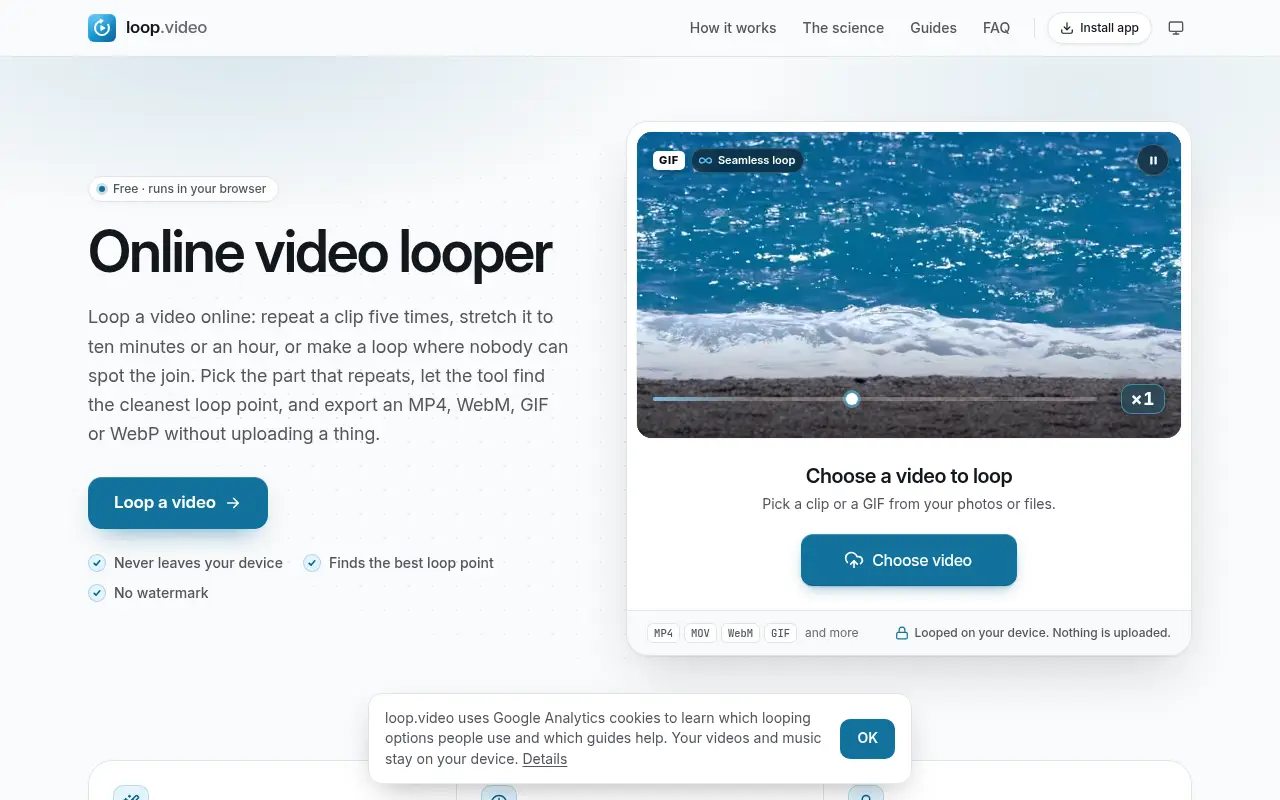
A free video looper that writes the repeats into a new file, so it loops anywhere you play it. It can find the cleanest join, crossfade it, run until a song ends, and export MP4, WebM, GIF or WebP.

Project links
Visit productRequest correctionProject Note
A closer look at loop.video
loop.video repeats a clip into one longer file, from a few passes to three hours, and finds the cleanest loop point. It runs in your browser with no upload or watermark.
A loop that travels with the file
You've got a short clip that needs to keep running, and it's headed somewhere you don't control the player. Most players can repeat a video, but only if you find the setting, and a file sent to someone else won't loop for them. loop.video makes the repeats part of the file. You open an MP4, MOV, WebM or GIF, set where the loop starts and ends, and export one file that plays the clip again and again.
Under Repeat there are three ways to set the length. Number of times takes any count from 1 to 999. Length fills an exact duration, such as ten minutes or an hour. Until the music ends repeats the video under a song you add and stops when the song does. The limit is three hours per export, and you can export MP4, WebM, GIF or WebP.
The team behind loop.video explains the reason simply: setting a player to loop doesn't help when a platform, slideshow or TV plays the file once, and doing the job in an editor means copying the clip by hand and hiding the jump.
Hiding the join
The hard part of a loop is the jump where the end meets the start. Find the best loop compares frames across the whole clip, picks the start and end that meet most cleanly, and rates the match. You then choose how the join is made: a straight Cut, a Crossfade or a Blend.
There's a cinemagraph option under More options, too. You paint over the part that should keep moving and everything else holds still on a frame you choose.
Long loops are encoded once and then copied, so by the site's account an hour exports in minutes. File size still grows with length. Its rough guide is about 2 GB for an hour at 1080p and about 1 GB at 720p. The team also draws a clear line on quality. Only a plain cut on a key frame at the original size copies the frames untouched, while crossfades, crops, cinemagraphs and size changes re-encode the picture, so those aren't lossless.
Before you drop a clip in
It's free, with no account or watermark. According to the privacy page, updated November 6, 2026, clips and music are read and encoded by your own browser and never sent to a server.
The exception is the YouTube video looper, a separate page that repeats a YouTube video or one section of it. It plays the video in YouTube's own player, which loads only after you press Load video and then runs under YouTube's policies. The about page is firm that the tool never downloads videos from websites or YouTube. It describes loop.video as an independent, self-funded project and names no person or company.
If you need a clip to keep going wherever it ends up, open one and try Find the best loop first.
In their words
From the team behind loop.video
“Setting a video player to loop doesn't help when a platform, slideshow or TV plays the file once”
“only a plain cut on a key frame at the original size copies the frames untouched.”
For reference
Project facts
The published details and source context, together in one place.
- Stage
- Launched
Project note details
Dates and editorial links
Published
November 10, 2026
Updated
November 12, 2026
Note history
Publication and substantive update dates for this public note.
- Nov 10, 2026
- Project note published.
- Nov 12, 2026
- Project note updated.
Want to come back to loop.video?
Save it to this browser. Your Saved list marks projects whose note or updates changed since you last looked.
Keep exploring
More like loop.video
- boomerang.videoCreator Tools · A free boomerang maker for clips you've already shot.
- collage.videoCreator Tools · collage.video combines photos and video clips into one frame, with 35 layouts and your own music, and saves a 1080p video without uploading anything.
- RepostitCreator Tools · Repostit moves approved short-form videos across supported social channels and can back them up to cloud storage.
- sync.videoCreator Tools · A free browser tool that finds and fixes audio delay, syncs separate recordings by their sound and saves a new file with the picture untouched.
- recorder.videoCreator Tools · Record your screen, a tab, your webcam and your voice together or separately, trim the take and export MP4, WebM, audio or a GIF, all in the browser.
- ExportFramesCreator Tools · A free browser tool that extracts PNG or JPG frames from a video file without uploading it.
- InstaGridMakerCreator Tools · InstaGridMaker splits one photo into numbered tiles for an Instagram profile grid, sized for the 3:4 layout, with the cutting done in your browser.
- ArtluniCreator Tools · Artluni is an AI critique tool for photographs, paintings and drawings that returns strengths, prioritised fixes and an exercise, pinned to the image.







For the makerAdd the badge to your site
If you made loop.video, you can post about this note with a ready-to-edit announcement, or show it on your own site with an optional badge that links back here. Neither has any effect on the note or its placement.

Want to keep this note's facts current yourself? Project Radar Pro lets a verified maker confirm status, pricing and platforms in a labeled block, post one update a month and see the note's activity totals. It never changes the note's text or placement. See what Pro includes
Building something useful?
Submit your project for free. If selected, it gets a Project Note that explains what it does and links to your work. Publication isn't guaranteed.
Submit a project